The Silent Nightmare of Working From Home
Have you ever stared at your laptop screen in pure panic, wondering if that weird link you just clicked gave a hacker full access to your company's network? I have been there, and the cold sweat is very real. Working from your couch is great, but mixing your highly sensitive company data with the exact same Wi-Fi your kids use for gaming is a massive disaster waiting to happen. Let's lock down your home office before you accidentally cause a corporate data leak.
Panic immediately set in as I realized I might have clicked a suspicious email link the night before. I felt completely alone, terrified that I had just compromised my entire team's confidential client data. My hands were literally shaking as I picked up the phone to call our IT manager and report the potential breach.
That single, terrifying morning was a massive wake-up call for me. It showed me just how incredibly fragile our home internet networks really are when we mix personal life with corporate access. Normal people working from home face this exact hidden nightmare every single day.
We try to balance household chores while managing highly sensitive corporate information on the exact same Wi-Fi network our kids use to play video games. This invisible threat completely destroys our mental peace. You go to bed at night constantly wondering if that client invoice you downloaded was actually a disguised virus ready to steal everything.
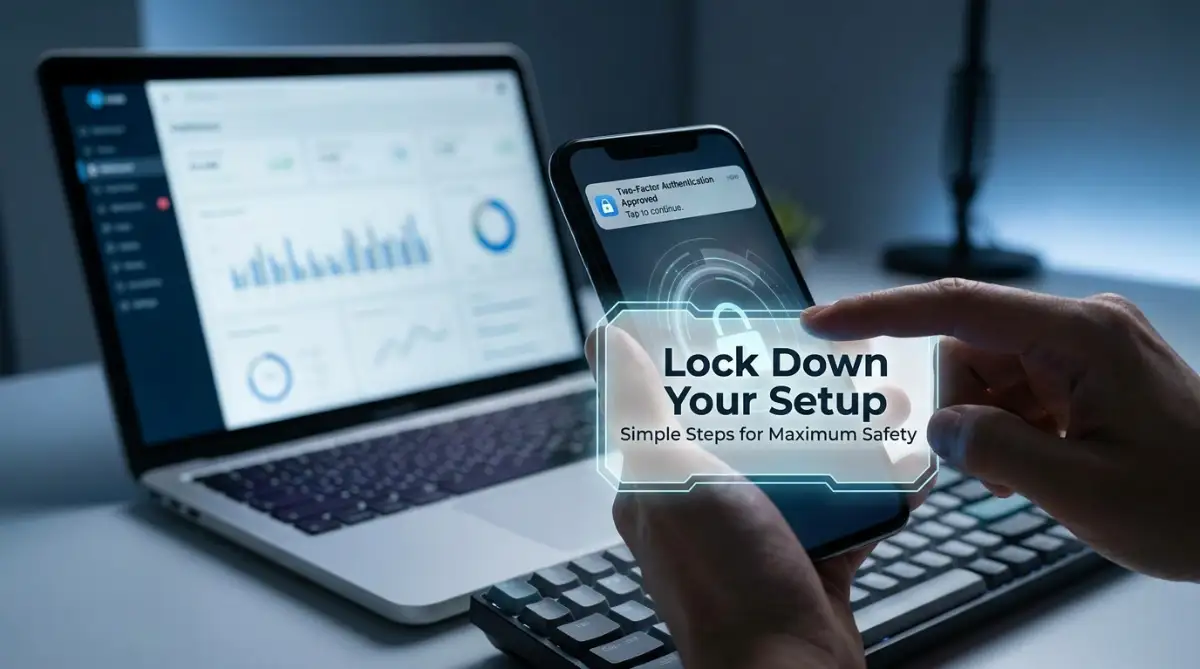
The Home Office Survival Cheat Sheet:
- Lock the front door: 2FA might feel annoying, but it is the only thing stopping a stolen password from ruining your career.
- Hide your tracks: A VPN scrambles your data so nosey neighbors (or local hackers) cannot read your emails.
- Separate your lives: Never let your kids play games on the exact same laptop you use to view client financials.
- Trust nobody: Stop clicking direct email links. Always type the website address yourself.
Transforming Your Living Room into a Digital Fortress
Protecting your company management software from your home office does not require a computer science degree. Hackers are surprisingly lazy, and they almost always look for the easiest targets they can find. If you simply lock your digital doors properly, they will move on to someone else.
Think of your home network like a physical house. Your company software is the heavy safe inside the house, holding all the valuable items. Right now, most remote workers leave their front door wide open, hoping nobody walks inside. We need to install some heavy-duty locks.
Myth vs Reality: The Home Office Illusion
Before we start building your defenses, we need to clear up some major misunderstandings. A lot of smart people believe things about home internet safety that are completely false.
Myth: Cybercriminals only target big, wealthy corporations, so my small home network is completely safe.
Reality: Hackers actually target remote workers specifically because home Wi-Fi routers have extremely weak security compared to large office buildings. You are the easiest bridge into the main company network.
Myth: Because my company software requires a password, my data is completely protected from outside threats.
Reality: Passwords are often stolen in massive data breaches. If someone gets your single password, that software lock becomes completely useless.
By understanding these realities, you take the first big step toward taking control of your own safety. Now, let us look at the exact steps you can take today to build a massive wall around your digital workspace.
The Double-Check System: Setting Up Two-Factor Defenses
If there is only one thing you do after reading this guide, it should be activating Two-Factor Authentication (2FA). This simple setting is your absolute best friend when it comes to keeping bad guys out of your company management tools.
Normally, a hacker just needs to guess or steal your password to ruin your day. But with a double-check system in place, they also need physical access to your personal smartphone. Even if they buy your password on the dark web, they remain stuck outside.
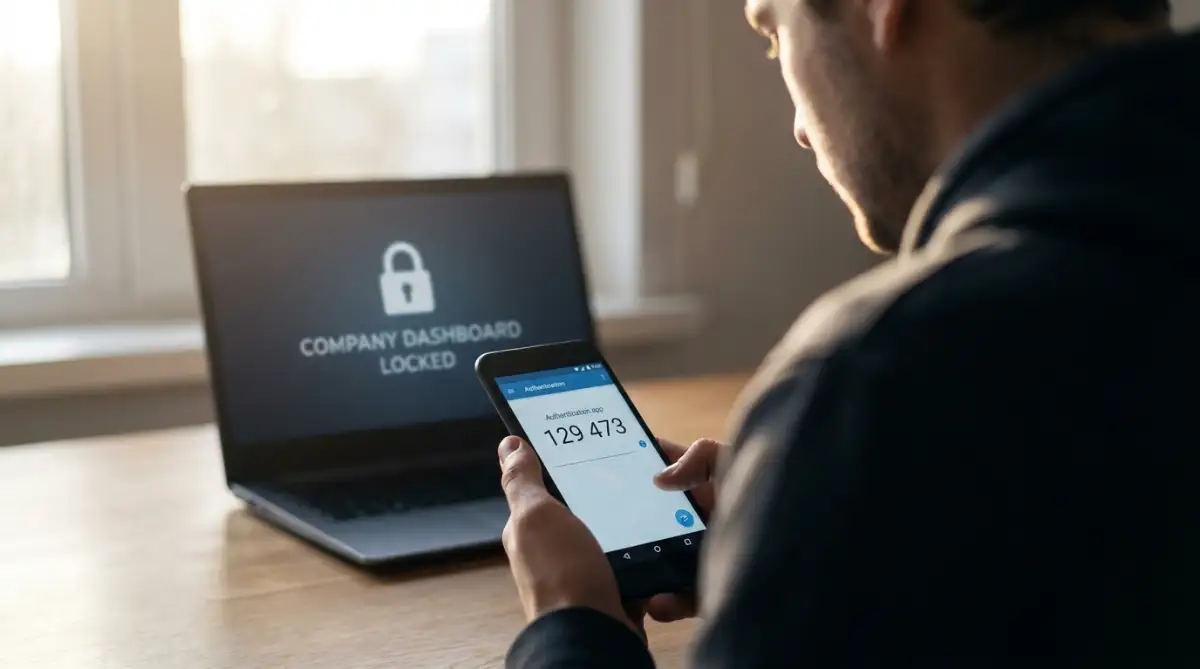
Whenever you log into your team dashboard, the software will ask for a temporary code. This code changes every thirty seconds and is only visible on a specific app on your phone. It adds about five seconds to your morning login routine, but it blocks nearly ninety-nine percent of automated hacking attempts.
I used to think receiving a text message code or opening an authenticator app was annoying and a huge waste of time. But after someone tried to log into my work email from another country while I was asleep, I realized that tiny extra step literally saved my career. Now, I absolutely refuse to use any company software without an authenticator app attached to it.
Shielding Your Connection from Prying Eyes
When you sit at a local coffee shop or even use your home Wi-Fi, your data travels through the air. Without the right protection, anyone sitting nearby with a cheap piece of software can intercept your internet traffic. They can actually watch exactly what you are typing into your company management software.
This is where a Virtual Private Network (VPN) becomes your ultimate protective tunnel. A VPN scrambles all of your data into unreadable nonsense before it ever leaves your computer. If a cybercriminal tries to steal your files while they are traveling over the network, all they will see is a bunch of random symbols.
Think of your normal internet connection like sending a postcard through the mail, where anyone can read the message on the back. Using a VPN is like putting that postcard inside a thick, locked metal box before handing it to the postman. Your company probably provides a specific VPN for you to use.
You must remember to actually turn this service on every single time you open your laptop for work. Many remote workers install the software but simply forget to click the "Connect" button before opening sensitive company files. Make it a strict daily habit to turn on your secure tunnel before you even check your morning emails.
My 3-Second Pre-Work Checklist:
- Is my VPN actually connected? (I check for the green light, not just the open app).
- Am I using my dedicated work browser?
- Is my coffee ready?
- Skip the first two steps, and you might accidentally hand your login cookies to the guy parked outside your house.
If you are still confused about how a VPN actually hides your internet traffic from cybercriminals, watch this simple breakdown.
Device Separation: The Invisible Work-Life Boundary
One of the biggest mistakes you can make is treating your work laptop like a family entertainment center. When your children use your work computer to play browser games or download random homework apps, they introduce massive risks. Kids often click on flashy banner ads that secretly install tracking software.
This tracking software can easily monitor your keystrokes and capture the login details for your company management system. To stop this, you must create a strict boundary between your personal digital life and your professional one. Your work laptop should only be used for official business tasks.
If you want to watch movies, shop online, or let the kids play games, use a completely different device. I know this sounds a bit strict, but mixing personal browsing habits with sensitive corporate data is a recipe for disaster.
If your company does not provide a separate laptop, you can still protect yourself using user profiles. Create a completely separate user account on your computer specifically for your work hours. Do not install any unnecessary browser extensions or personal apps on this specific work profile.
The Human Firewall: Training Yourself to Spot Traps
The most advanced security software in the world cannot save you if you willingly hand over your keys. Social engineering is a sneaky tactic where criminals trick you into giving up your passwords by pretending to be someone you trust. They play on your emotions, creating a sense of urgency or fear.
You might receive an email that looks exactly like it came from your company's IT department. The message will say something scary like, "Your company software account will be deleted in 24 hours if you do not click here to verify your identity." Because you are scared of losing your job access, you panic and click the link.
The link takes you to a fake login page that looks identical to your real company software. As soon as you type your username and password into that fake page, the criminals capture it instantly. This is called a phishing attack, and it is incredibly common for remote workers.
To become a human firewall, you have to train yourself to slow down and check the details. Never click on a link directly from an urgent email, even if it looks highly official. Instead, open a new browser tab and type the company website address manually yourself.
Reading the Hidden Signs of a Phishing Attack
Cybercriminals are getting smarter, but they still leave tiny clues behind in their fake messages. You just need to know exactly where to look before you click on anything.
First, always check the sender's actual email address, not just their display name. A scammer might set their name as "HR Department," but the email address might read "hr-update-support@gmail.com." A real corporate department will always use the official company domain name.
Second, look for spelling mistakes or strange grammar in the body of the message. Professional companies use copywriters and editors, so their emails rarely have obvious typos. Scammers often operate from non-English speaking countries and make simple linguistic errors.
Third, hover your mouse cursor over any buttons or links without actually clicking on them. A small box will pop up at the bottom of your screen showing you the exact website that link goes to. If the website address looks like a long string of random numbers or a strange misspelled word, do not click it.
My Golden Rule for Phishing:
Whenever I get an "Urgent HR Update" or a "Password Reset" email, I completely ignore the link inside it. Instead, I open a new tab, manually type in our company portal address, and log in. If the update is real, the notification will be sitting right there on my dashboard. Zero risk, zero panic.
Fortifying Your Home Wi-Fi Router
Your home Wi-Fi router is the grand central station for all your internet traffic. When the internet company installed it, they likely left it with a default username and password. You would be shocked to know that lists of these default router passwords are freely available on the internet for anyone to download.
If a hacker drives past your house, they can easily log into your router using those default settings. Once they are inside the router, they can monitor everything you send to your company management software. You must change the admin password of your Wi-Fi router immediately.
Call your internet provider and ask them exactly how to access your router settings. Change the password to a long phrase that only you know, using a mix of numbers and symbols.
Good Password Habits vs Bad Password Habits
To make things extremely simple, I have created a quick comparison so you can check your own daily habits.
Changing your daily habits takes a little bit of effort, but the peace of mind is totally worth it. When you know your digital workspace is secure, you can focus completely on doing great work. You will no longer feel that heavy anxiety sitting on your chest every time you open a client folder.
Taking Your Digital Armor to the Next Level
Once you have the basic locks on your digital doors, it is time to install the advanced security cameras. You might think these expert-level strategies are only for professional IT managers. However, adding these powerful habits to your daily routine is actually quite simple and takes almost zero technical skill.
Think of your company management software as a massive bank vault containing your team's most valuable assets. The basic steps keep the front door closed, but advanced habits ensure that even if someone sneaks inside, they cannot touch the money. I want to share a few pro-level secrets that completely changed how I view my home office safety.
First, you need to adopt what security experts call a "Zero Trust" mindset. This simply means you should never blindly trust any device, link, or attachment, even if it comes from a coworker. A colleague’s email account could easily be compromised without their knowledge.
If your team leader suddenly emails you asking to download a strange file from a new management platform, stop and verify. Send them a quick text message on their phone to confirm they actually sent that request. This simple ten-second verification habit stops incredibly sophisticated social engineering attacks right in their tracks.
When you are busy driving remote startup growth, taking these small pauses might feel annoying. But these tiny moments of hesitation are exactly what keep your company's data safe from hidden threats.
The Magic of Automatic Software Patching
Let us talk about that annoying little pop-up window asking you to update your computer software. Most of us just hit the "Remind Me Tomorrow" button because we are in the middle of a busy workday. This simple habit of delaying updates is actually one of the biggest security risks you can take.
When a software company releases an update, they are not just changing how the buttons look. They are actively repairing broken security holes that hackers have recently discovered. Every day you delay that update, you are leaving a known hole in your digital armor completely exposed.
According to the official guidance from the Cybersecurity & Infrastructure Security Agency (CISA), keeping software updated is the single most effective way to prevent cyber attacks. You should immediately go into your computer settings and turn on automatic updates for everything. Let your computer install these essential repairs while you are sleeping at night.
Mastering Secure File Transfers
Another massive risk comes from how we share files with our remote team members. Sending sensitive documents as plain email attachments is basically like sending a transparent envelope through the mail. Anyone who intercepts the email can easily read the entire contents of the document.
Instead of attaching files directly, you should always use the secure file-sharing features built into your company software. Upload the document to your secure cloud drive, and then share an encrypted link with your coworker. You can even set these links to automatically expire after a few days for maximum safety.
This strict control over your data is especially important if your work involves highly sensitive client information. For example, if your company handles data related to how artificial intelligence is transforming healthcare diagnostics, a single leaked file could result in a massive lawsuit. Always keep sensitive files inside the protected walls of your management software.
The Hidden Power of Browser Isolation
Your internet web browser is the main window you use to interact with the outside world. If you use the exact same browser to check your bank account, log into company software, and stream movies, you are cross-contaminating your digital life. One single malicious website can quietly steal data from your other open tabs.
To fix this, you should practice browser isolation. Choose one specific web browser, like Google Chrome or Microsoft Edge, and use it exclusively for your official work tasks. Do not install any fun extensions, shopping trackers, or personal bookmarks on this specific work browser.
Then, download a completely different browser, like Mozilla Firefox or Brave, for your personal daily use. The privacy advocates at the Electronic Frontier Foundation (EFF) strongly recommend separating your browsing habits to stop invisible trackers from monitoring your work. This simple separation keeps your professional software completely blind to your personal internet activities.
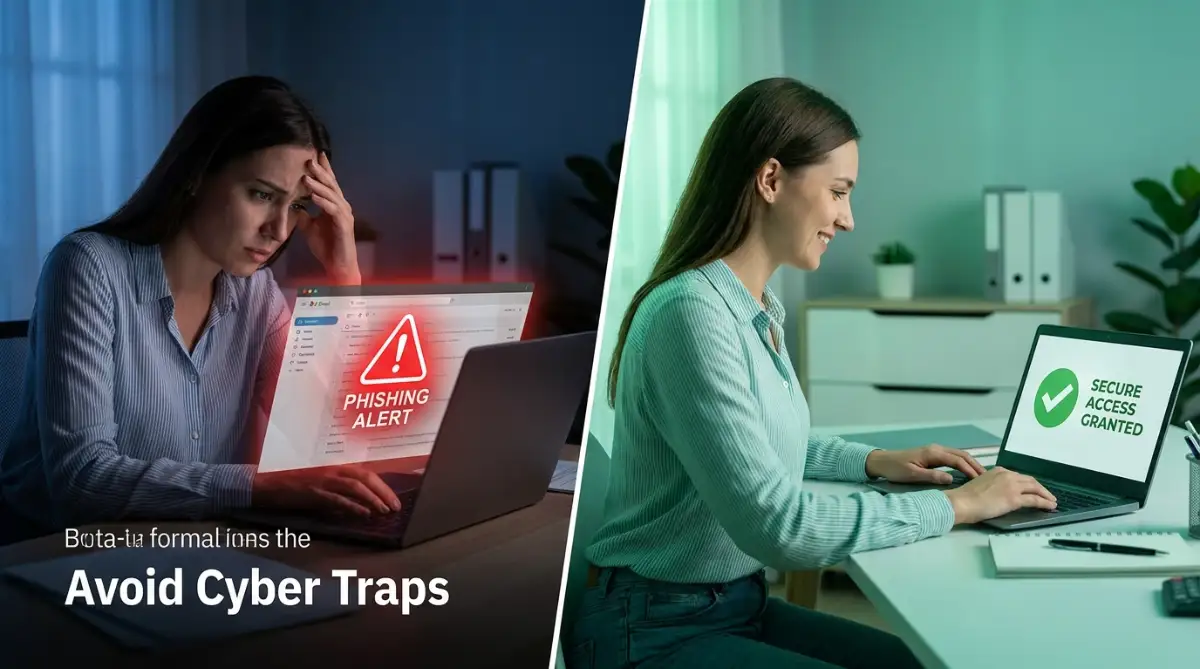
The Hidden Traps That Ruin Remote Careers
Even with the best tools in place, human error remains the biggest vulnerability in any home office. We often make terrible security choices simply because we are trying to save a few minutes of time. These shortcuts might seem harmless in the moment, but they can instantly destroy your professional reputation.
I want to walk you through some of the most dangerous mistakes remote workers make on a daily basis. Understanding these common pitfalls will help you recognize them before you accidentally ruin your career. Falling into these traps can cause massive anxiety, similar to the intense stress of figuring out how debt consolidation affects your credit score—it takes months of hard work to repair the damage.
The Coffee Shop Disaster Scenario
Working from a local cafe sounds incredibly relaxing, but public Wi-Fi networks are a playground for cybercriminals. When you connect to a free, open network at a coffee shop or airport, there is zero encryption protecting your connection. Any amateur hacker sitting in the same room can easily intercept your data.
I once saw a colleague log into our primary company dashboard while waiting for a flight at a busy airport. Because he did not use his secure VPN tunnel, a criminal intercepted his session and stole his administrative login cookies. Within two hours, the hacker had completely wiped out a major client project we had been working on for weeks.
If you absolutely must work in a public place, never connect to the free Wi-Fi provided by the building. Instead, turn on the mobile hotspot feature on your smartphone and connect your laptop to that private connection. It uses a bit of your cellular data, but it is infinitely safer than sharing a network with strangers.
The "Shadow IT" Temptation
Sometimes, the official project management frameworks for software teams provided by your company can feel slow or clunky. To speed things up, you might secretly start using your own personal apps to manage work tasks. Maybe you use a free personal Dropbox account to share heavy files or a personal WhatsApp group to discuss confidential client details.
Security professionals call this dangerous habit "Shadow IT," and it is an absolute nightmare for company safety. When you move company data outside of the approved software tools, you strip away all the corporate security protections. Your IT team cannot protect files they do not even know exist.
If an approved company tool is slowing down your workflow, speak up and tell your manager about the problem. Do not take matters into your own hands by secretly transferring sensitive information to unprotected personal apps. A data leak from your personal cloud account will automatically make you personally responsible for the damage.
The USB Flash Drive Gamble
Flash drives are incredibly cheap and convenient, which makes them highly dangerous. You might find an old USB drive in your desk drawer and plug it into your work computer to transfer a quick file. But if that drive was previously plugged into an infected family computer, it can instantly transfer a hidden virus to your work laptop.
Cybercriminals actually drop infected USB drives in public parking lots, hoping curious employees will pick them up and plug them in. Once connected, these drives silently install malicious tracking software that monitors everything you type into your company management software.
You should treat every unknown USB drive like a loaded weapon. Never plug a personal thumb drive, portable hard drive, or even a random charging cable into your official work device. Always use secure cloud storage to move files between different computers safely.

The Blurry Line of Screen Privacy
When we work from the comfort of our own homes, we naturally let our guard down. We leave our laptops open on the kitchen counter with sensitive company dashboards fully visible. You might think your home is completely safe, but screen privacy is still a massive issue.
What happens when you have guests over, or a maintenance worker comes to fix your internet router? If someone walks past your open laptop and snaps a quick photo of a confidential client spreadsheet, the breach is completely your fault. A study published by the National Institute of Standards and Technology (NIST) highlights that visual hacking is one of the most under-reported security threats in remote environments.
Make it a strict physical habit to lock your computer screen every single time you stand up from your chair. On a Windows computer, just press the Windows Key + L. On a Mac, press Control + Command + Q. This one-second action instantly hides all your work and requires a password to get back in.
Your Blueprint for a Fearless Remote Work Life
Taking control of your digital workspace does not mean you have to live in constant fear of hackers. By simply applying the practical habits we have discussed today, you can eliminate almost all of the common risks. You are no longer an easy target for lazy cybercriminals looking for an open door.
Protecting your company data is exactly like trying to build a powerful brand on a tight budget. It requires consistency, smart daily habits, and a refusal to take dangerous shortcuts. When you build these solid routines, the entire process of logging into work becomes completely stress-free.
You now know how to lock down your accounts with a double-check system and hide your internet traffic inside a secure tunnel. You understand the hidden danger of clicking urgent email links and the massive risk of using public Wi-Fi. Most importantly, you know how to separate your personal digital life from your professional responsibilities.
Start small by picking just one new habit to implement this week. Maybe you finally turn on automatic software updates tonight, or you commit to locking your screen every time you grab a cup of coffee. These tiny daily actions slowly build a massive, impenetrable wall around your career.
I genuinely know how scary it feels to be the sole protector of your company’s data from your living room. But I promise you, once you set up these basic protocols, that heavy anxiety will completely disappear. You can finally enjoy the beautiful freedom of working from home with total peace of mind.
Common Questions About Remote Office Safety
Do I really need an antivirus program if I use a company VPN?
Yes, you absolutely still need high-quality antivirus software running in the background. A VPN only protects your data while it travels across the internet, but it cannot stop a virus you accidentally download from a bad email link. Think of a VPN as a safe highway, and your antivirus as the security guard waiting at your front door.
Is it safe to use my personal smartphone for checking company software?
Using your personal phone is only safe if your company provides a secure, isolated mobile application for their management software. You should never log into sensitive corporate dashboards using your phone's standard mobile web browser. Always ensure your mobile device requires a strong passcode or facial recognition to unlock the screen.
What should I do immediately if I accidentally click a suspicious email link?
Do not panic, but you must act incredibly fast to contain the potential damage. First, physically disconnect your computer from the internet by turning off your Wi-Fi or unplugging the network cable. Then, immediately call your company IT department from your phone and tell them exactly what happened so they can secure your accounts.
Why does my company software force me to change my password so often?
Forcing frequent password changes prevents hackers from using old, stolen passwords they bought on the dark web. Even if someone secretly copied your login details three months ago, changing your password makes their stolen data completely useless today. Using a reputable password manager makes this frustrating process much easier to handle.
Can my smart home devices like Alexa or Google Home steal my work data?
While they cannot directly steal files from your secure company software, smart speakers are constantly listening to your conversations. If you are having a highly confidential audio meeting about corporate strategy, it is always best to mute your smart speakers. Keeping your physical workspace private is just as important as securing your digital files.
Disclaimer: The information provided in this article is for educational and informational purposes only and should not be considered as official professional IT or legal advice. Cybersecurity threats evolve constantly, and you should always follow the specific protocols and software guidelines provided by your employer's IT department