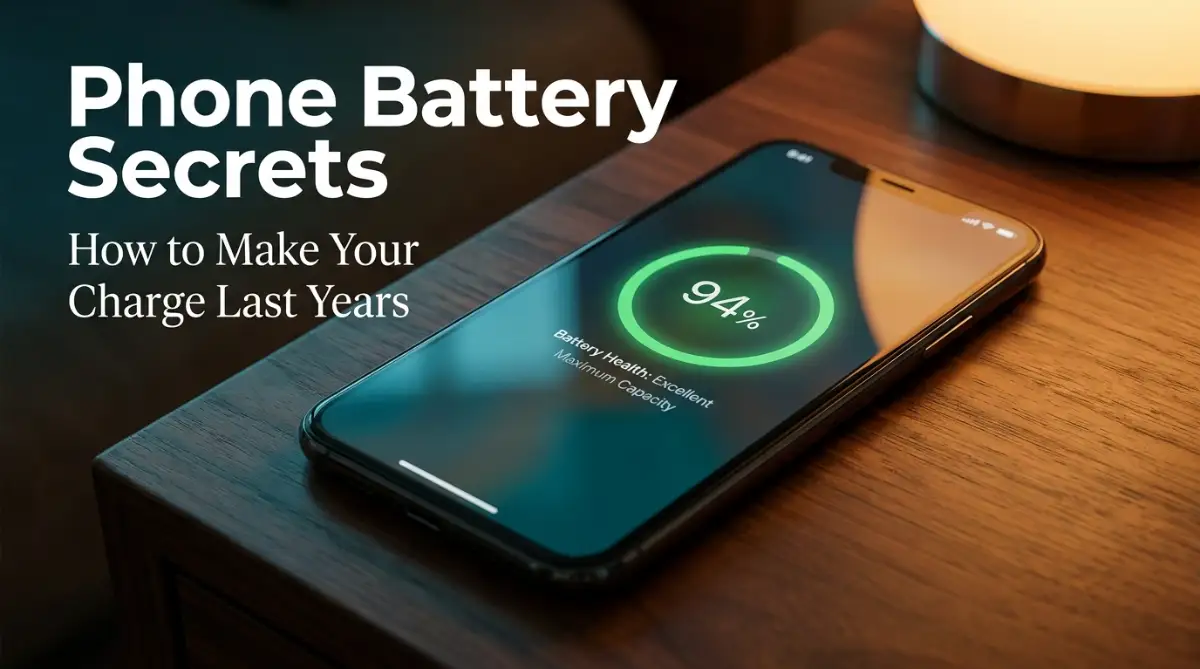
The Unseen Slowdown: Why Your Phone Always Dies When You Need It Most
We all know the panic of watching our phone battery suddenly drop to zero when we need it most. It is not just frustrating; it leaves us disconnected when we are trying to get home or do our jobs. Most of the time, our own daily charging habits are what slowly wear out the battery. Let us look at how your phone battery actually works and how you can double its lifespan with a few simple changes.
My device was barely a year old, yet its battery acted like an ancient relic. That was the moment I realized I had to figure out why my phone was betraying me. It made me look closely at how we treat our devices every single day.
Many of us face this same quiet panic on a regular basis. You leave the house with a full charge, but by lunchtime, you are already hunting for an outlet. It feels like you are chained to your charger, constantly worried about the next battery drop.
This constant anxiety ruins your peace of mind and interrupts your daily work. You might feel like you did something wrong or that your expensive phone is just poorly made. It is incredibly annoying to watch a premium device lose its stamina so quickly.
We pay so much money for these pocket computers, yet we cannot trust them to last a full day. The truth is, battery drain is not just a minor annoyance. It affects how you connect with your family, how you do your job, and how you navigate the world.
The tiny chemical powerhouse inside your device is slowly wearing out, and you might be helping it slide downhill faster. Once you understand the hidden struggles of your battery, you can easily turn things around. You do not need to be a tech wizard to keep your phone running like new.
=========================================
⚡ QUICK GUIDE: HOW TO SAVE YOUR PHONE BATTERY ⚡
=========================================
If you want to keep your phone running like new without reading the whole guide,
here are the four golden rules to follow starting today:
1. Use the 20-80% Rule: Avoid letting your phone die completely to 0%,
and try to unplug it before it sits at 100% for too long.
2. Avoid High Heat: Never charge your phone under your pillow, on a soft bed,
or in a hot car. Heat is the ultimate battery killer.
3. Use Slower Chargers at Night: Fast charging generates high heat. Use a
standard slow charger overnight to protect the battery chemistry.
4. Turn on Protection Settings: Enable "Optimized Battery Charging" in your
phone's battery settings so the software handles the wear for you automatically.
=========================================
The Silent Chemistry: How Your Phone Battery Works and Ages
The Molecular Level: What Happens inside Your Battery
To understand battery wear, we need to look at how a lithium-ion cell works. Think of your battery as two different rooms separated by a thin wall. Lithium ions live in these rooms and travel back and forth when you use your phone.
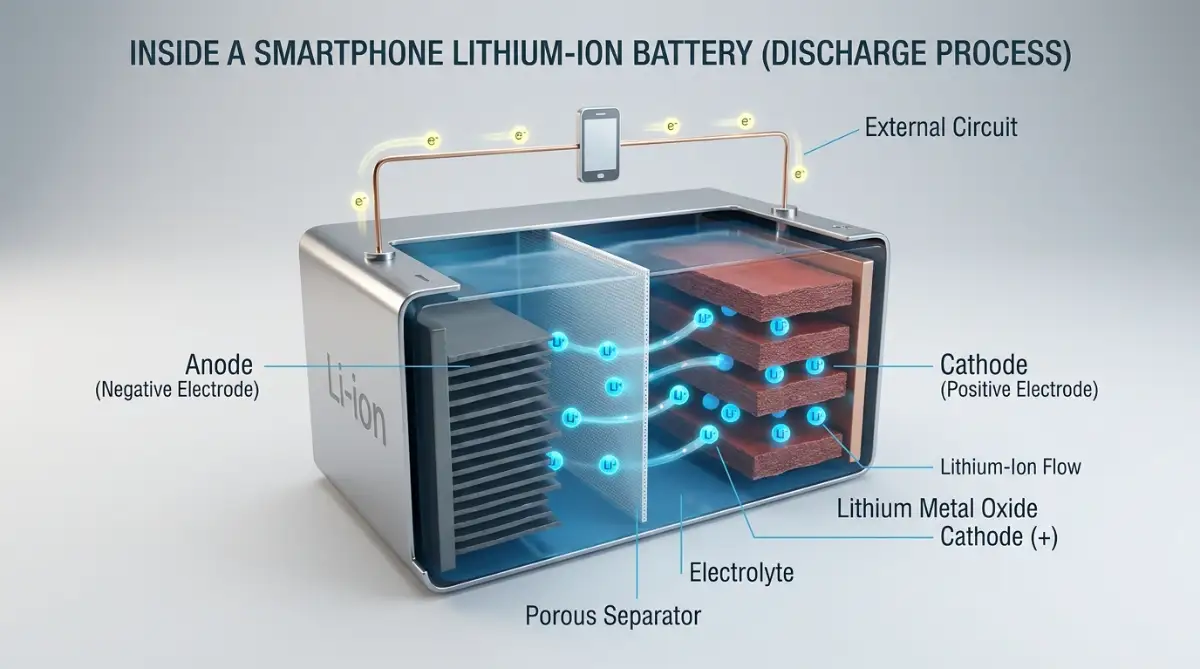
When you charge your phone, you force these ions into one room under high pressure. When you unplug and use your device, the ions naturally flow back to the other room. This movement creates the electric current that keeps your screen glowing.
However, this journey is not perfectly smooth every single time. Every trip causes tiny amounts of chemical wear on the path. Over time, the materials inside the battery start to break down and degrade.
The Impact of High Voltage and Constant Full Charges
Most people believe that keeping their phone at one hundred percent is the best habit. In reality, keeping your phone fully charged keeps the battery under extreme physical stress. This is very similar to keeping a balloon blown up to its maximum size all the time.
The high voltage weakens the chemical structures inside the battery over time. This makes the battery lose its ability to hold energy as efficiently as it used to. It is much better to let your phone sit at a slightly lower charge level.
Modern smartphones are smart enough to manage their power, but they cannot escape chemistry. Leaving your phone plugged in overnight keeps it at maximum voltage for hours. This constant pressure is one of the main reasons your battery health drops quickly.
Deep Discharges: The Danger of Letting Your Phone Die
On the other side of the spectrum, letting your battery drop to zero percent is also harmful. A fully empty battery experiences severe chemical instability. This empty state can damage the internal components of the cell permanently.
When a battery goes completely dead, the materials inside struggle to accept a charge next time. You might notice that a dead phone takes a long time to show any sign of life when plugged in. This delay is due to the battery struggling to recover from the stress.
Try to treat twenty percent as your absolute minimum limit. Plug in your device before it enters this danger zone to prevent deep physical strain. Keeping your battery level above this mark will save you a lot of headache.
How Temperature Acts as the Ultimate Battery Destroyer
Heat is the absolute worst enemy of any lithium-ion battery. High temperatures speed up the chemical degradation process by a massive margin. If your phone feels hot in your hand, your battery is suffering.
| Temperature Range | What Happens to Your Battery | What You Should Do |
| :--- | :--- | :--- |
| Above 95°F (35°C) | Severe chemical damage; battery capacity drops permanently. | Keep the phone out of direct sunlight and remove thick cases. |
| 32°F to 95°F (0°C to 35°C) | Safe zone; the battery works at its best efficiency. | Normal daily use. |
| Below 32°F (0°C) | Temporary drop in performance; battery drains faster. | Keep the phone in an inside pocket to warm it with body heat. |
Charging your phone naturally generates heat because of electrical resistance. If you charge your phone under a heavy pillow or in a hot car, that heat gets trapped. This trapped heat physically degrades the delicate separators inside the battery.
Cold temperatures can also cause temporary drops in battery performance. However, cold temperatures rarely cause permanent damage like heat does. Keeping your phone in a cool, shaded environment is a simple way to protect its health.
Learning From My Own Battery Mistakes
I used to sleep with my phone charging right under my thick pillow every single night. My phone would wake up burning hot, and within six months, my battery capacity dropped to seventy percent. Once I started charging it on a hard, cool table instead, the overheating stopped and my new battery lasted for years.
Fast Charging: The Hidden Cost of Pure Convenience
We all love the convenience of fast chargers that power up our phones in minutes. These chargers push a massive amount of electrical current into the battery very quickly. While this is great when you are in a rush, it comes with a hidden cost.
The high speed of fast charging creates much more heat than standard slow charging. This extra heat adds physical stress to the chemical components of the battery. If you use fast charging every day, your battery will age faster than normal.
Consider using a slower, standard charger when you plug your phone in overnight. Since speed does not matter while you sleep, slow charging is much gentler on the battery. This simple change can add months to your phone's usable lifespan.
Watch This to Master Your Charging Habits
Want to see a visual breakdown of how these chemical reactions happen inside your phone? Watch this short, informative video to understand battery science and save your phone.
[Insert YouTube Video Link Here]
The 20-80% Golden Rule for Daily Charging
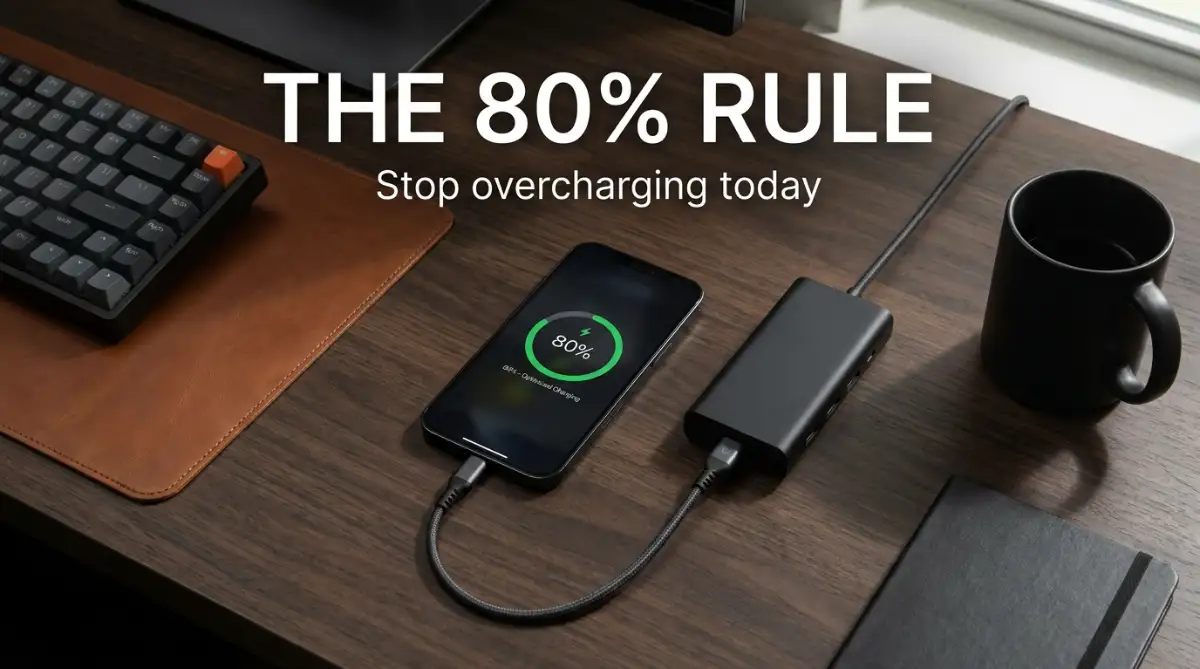
The most effective habit you can adopt is keeping your battery between twenty and eighty percent. This range is the sweet spot where the chemical stress is at its lowest. It is like driving your car at a steady speed rather than pushing the engine to its limits.
Charging your phone in short, frequent bursts is actually much better than one long charge. You can plug your phone in for fifteen minutes at your desk and then unplug it. This keeps the battery cool and prevents it from staying at high voltage.
Many people think this habit is too difficult to maintain during a busy day. However, even doing this occasionally will make a noticeable difference in your battery lifespan. Small changes in your routine can yield great results over time.
Using Software Features to Protect Your Device Automatically
Most modern smartphones come with excellent built-in battery protection features. These software tools are designed to manage the charging speed based on your daily routine. For example, they can pause charging at eighty percent and finish right before you wake up.
Go into your phone settings and look for options like "Optimized Battery Charging" or "Protect Battery." Enabling these features lets the software do the hard work of protecting your battery. It is a set-and-forget solution that saves your hardware from unnecessary wear.
Here is how you can find these settings on your device right now:
- For Apple iPhone Users: Go to Settings > Battery > Battery Health & Charging > Turn on Optimized Battery Charging or 80% Limit.
- For Android Users (Samsung, Google Pixel, etc.): Go to Settings > Battery > Battery Protection (or Adaptive Charging) > Turn on the toggle to limit maximum charge or adapt to your sleep cycle.
You should also keep your operating system updated to the latest version. Manufacturers constantly improve their battery management algorithms through software updates. These updates help your phone run more efficiently and stay cooler.
Debunking Common Battery Myths and Misconceptions
There are many old myths about battery care that people still believe today. Most of these ideas come from older nickel-based batteries, which had a "memory effect." Modern lithium-ion batteries behave very differently and do not require those old habits.
For instance, you do not need to drain your new phone to zero percent before using it. Modern batteries are calibrated and ready to go straight out of the box. Draining them to zero on purpose will actually cause harm rather than good.
As you can see, modern battery technology is much smarter than it used to be. You do not need to worry about overcharging your phone overnight because the phone stops drawing power when full. However, the high voltage stress remains, so using protection features is still highly recommended.
The Impact of Screen Settings on Daily Battery Drain
Reducing your daily battery consumption is a great way to extend its overall lifespan. When your battery drains slower, you complete fewer charge cycles over the course of a year. One of the easiest ways to reduce drain is by adjusting your screen settings.
If your smartphone has an OLED screen, using dark mode can save a massive amount of energy. OLED displays turn off individual pixels to show pure black, which consumes zero power. Switching to dark mode is both stylish and highly energy-efficient.
Lowering your screen brightness by just ten percent can also make a huge difference. You can also turn on auto-brightness, which adjusts the screen based on the light around you. This prevents your screen from wasting power in darker rooms.
How Physical Shock and Drops Affect Battery Safety
We rarely think about physical damage when we talk about battery lifespan. However, dropping your phone can cause serious physical stress to the battery cell. A hard impact can damage the thin plastic separators that keep the chemicals apart.
If these separators fail, it can lead to a short circuit inside the battery. This can cause the phone to heat up rapidly or even become a safety hazard. Always use a high-quality protective case to absorb the shock of accidental drops.
If your phone gets bent or severely damaged, have the battery checked by a professional. A damaged battery might still work, but it could be degrading at an extremely fast rate. Physical protection is a key part of keeping your device healthy.
Best Practices for Storing Old Devices Long Term
If you plan to put an old phone in a drawer for a few months, do not leave it empty. Storing a battery at zero percent can put it into a deep discharge state. This state can make the battery completely dead and unable to charge ever again.
On the other hand, storing a phone at one hundred percent is also a bad idea. The high voltage will cause the battery chemistry to degrade quickly while sitting in the drawer. The sweet spot for long-term storage is around fifty percent.
Place the half-charged phone in a cool, dry place away from direct sunlight. This stable environment will preserve the battery health while the device is not in use. When you turn it back on months later, the battery will still be in great shape.
Recognizing the Signs of a Severely Degraded Battery
It is important to know when your battery has reached the end of its natural life. If your phone battery health drops below eighty percent, you will notice significant performance drops. Your phone might start slowing down to prevent unexpected shutdowns.
You might also notice that the phone battery percentage jumps around randomly. For example, it might drop from forty percent to ten percent in just a few minutes. These rapid jumps indicate that the battery cells can no longer hold a stable charge.
If you see your phone screen lifting or the back glass pushing outward, stop using the phone immediately. This swelling is caused by gas buildup inside a failing battery cell and is highly dangerous. Have the battery replaced by a certified technician right away to stay safe.
Why Taking Care of Your Battery is Good for the Planet
Extending your phone's battery life is not just good for your wallet; it is also highly eco-friendly. Electronic waste is one of the fastest-growing environmental problems in the world today. Every phone we keep active for an extra year reduces this waste.
Producing new lithium-ion batteries requires mining rare minerals like lithium and cobalt. This mining process has a significant impact on local ecosystems and communities. By preserving your battery, you reduce the demand for these raw materials.
You also save money by avoiding expensive phone upgrades before they are truly necessary. A simple battery replacement can make a three-year-old phone feel like it just came out of the box. It is a smart, sustainable choice that benefits everyone.
Simple Steps to Build Better Charging Habits Today
Changing how you charge your phone does not require a massive effort. You can start by simply unplugging your phone when it reaches eighty percent during the day. Or you can use a slower charger on your nightstand instead of your fast charger.
You can also set a daily reminder to check your battery settings and turn on battery protection features. These small, simple adjustments will quickly become automatic habits. Your phone will stay fast, healthy, and reliable for a long time to come.
Next-Level Settings to Make Your Phone Battery Last for Years
You can take complete control of your phone's battery health by adjusting a few hidden settings. Many of these features run in the background and constantly use power without you ever knowing. Turning off these hidden drains will immediately reduce the physical stress on your battery cell.
Checking your battery health is just as important as inspecting a property before making a purchase. You would not buy a home without spotting structural flaws at an open house, so you should never ignore the warning signs on your phone. Keeping an eye on your battery settings will save you from major issues down the road.
One of the best steps is to set up automated routines on your device. You can configure your phone to turn on battery saver mode automatically when the charge drops below thirty percent. This simple setting prevents the battery from entering a high-drain state when it is already weak.
Mastering Background App Refresh and Syncing
Many apps on your phone constantly check for updates even when your screen is turned off. This background activity is like leaving your car engine idling while you are shopping inside a store. You can easily turn off background refresh for apps that do not need to update every second.
Similarly, your email and social media apps constantly sync with external servers to fetch new notifications. Changing your sync settings from instant push to hourly pull will save a massive amount of power over a day. Your phone will sleep much deeper, and your battery temperature will remain cool.
Scientific studies show that reducing constant background connections dramatically extends battery lifespan. You can read more about prolonging lithium-based batteries through simple management habits. These tiny adjustments keep the battery from cycling too quickly during your workday.
Smart Power Management and Charging Standards
Modern smartphones use smart power management chips to negotiate charging speeds with your power brick. If you use a charger that supports Power Delivery, the phone will safely request the exact amount of power it needs. This smart communication prevents the charger from sending too much energy and creating excess heat.
You should always make sure you are using high-quality charging hardware that communicates properly with your device. Many cheap chargers lack these smart communication chips and will force power into your phone blindly. This brute-force charging is one of the quickest ways to wear out your internal battery chemistry.
To protect your device automatically, you can turn on the optimized battery charging settings built into your operating system. This software learns your sleeping habits and waits to finish charging past eighty percent until right before you wake up. It is an incredibly easy way to avoid leaving your phone at high voltage for hours.
Controlling Connectivity Features When Not in Use
Your phone has multiple tiny radios inside that constantly search for Wi-Fi, Bluetooth, and cellular signals. When you are traveling in areas with weak cellular coverage, your phone boosts its radio power to stay connected. This extra power drain creates a lot of internal heat and depletes your battery rapidly.
If you are on a long road trip with bad signal, consider turning on airplane mode to protect your hardware. This small step stops the constant signal searching and keeps the battery at a comfortable operating temperature. You can turn it back on when you reach an area with better coverage.
You can also disable Wi-Fi and Bluetooth scanning in your location settings. This feature allows apps to scan for nearby routers even when you turn off Wi-Fi manually. Disabling this background scan keeps your radios quiet and saves precious battery cycles.
Managing Display Refresh Rates and Resolution
Many modern smartphones feature screens with high refresh rates that make animations look incredibly smooth. However, running your display at a high refresh rate requires much more power from your graphics processor. You can easily switch your settings back to a standard refresh rate to save massive amounts of battery.
Some phones also allow you to lower the screen resolution from ultra-high definitions to standard high definition. Lowering the resolution reduces the workload on your processor, keeping your phone cooler during basic tasks. This is a highly effective way to keep your battery chemistry stable and prevent rapid wear.
If you are wondering how these hardware demands translate to real-life usage, think of your screen as a high-performance sports car. Driving at top speed all the time burns through fuel and wears out the tires much faster. Lowering your settings is like cruising at a steady, efficient speed on the highway.
The Power of Dark Mode on Modern Displays
If your phone features an OLED or AMOLED display, using dark mode can save an incredible amount of power. These screens work by lighting up each individual pixel separately to show colors. When a pixel needs to show pure black, it turns off completely and uses zero energy.
Using dark mode across your entire operating system can reduce your screen's power consumption by up to thirty percent. This reduction in daily power usage means your battery completes fewer charge cycles over a year. It is a stylish, comfortable, and energy-efficient choice that protects your hardware.
Even if your phone has a standard LCD screen, using dark mode is still highly beneficial for reducing eye strain in dark rooms. However, the energy-saving benefits are much more prominent on OLED devices. You can set your phone to switch to dark mode automatically at sunset to make this process seamless.
Dangerous Habits That Wear Out Your Phone Battery
One of the most common mistakes is playing high-end 3D games while the phone is plugged into a fast charger. This habit creates a double dose of heat from both the charging process and the busy processor. The combination of high voltage and high heat is the absolute worst scenario for a lithium-ion cell.
If you must play a heavy game, it is far better to unplug your device first and play on battery power. Once you are finished gaming and the phone has cooled down completely, you can safely plug it back in. This simple habit keeps your phone out of the dangerous thermal zone.
The Trap of Cheap Charging Cables and Bricks
It is very tempting to buy cheap charging cables from convenience stores when you lose your original cord. However, these budget accessories often use poor-quality wiring that cannot handle high electrical current safely. They can cause voltage fluctuations that damage the delicate power management chips inside your phone.
A damaged power chip can let too much current flow into your battery, causing permanent damage. Spending a little extra money on certified, high-quality cables is a smart investment in your phone's future. It keeps your charging process safe and prevents unexpected hardware failures.
Understanding your battery warranty and safety guidelines is incredibly helpful when dealing with hardware. It requires reading the fine print, much like avoiding hidden traps in commercial leases before you make a commitment. Always stick to certified brands to ensure your charging accessories meet strict safety standards.
Letting Your Phone Suffocate in Thick Cases
Protective cases are excellent for preventing screen cracks, but some thick plastic cases trap heat like a blanket. When you charge your phone inside a heavy case, the heat cannot escape into the air. This trapped heat warms up the battery and speeds up its chemical aging process.
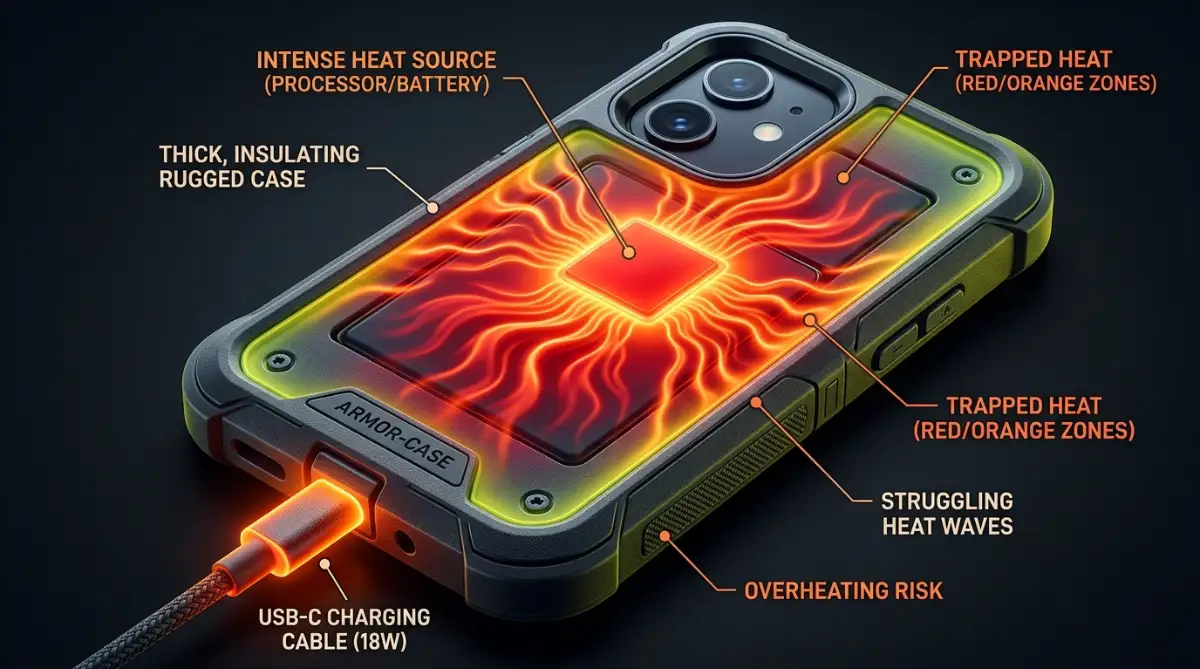
If you notice your phone getting warm during charging, try taking the case off before you plug it in. This allows the heat to dissipate naturally from the back of the phone. It is a minor inconvenience that pays off in a much healthier battery over time.
Ignoring Sudden Warning Signs of Failure
Your smartphone will often try to warn you when its battery chemistry is starting to break down. You might notice the back of your phone getting slightly warm even when you are not using it. Or you might see your battery percentage jump around in strange, unpredictable patterns.
Ignoring these warning signs can lead to more serious issues, such as a swollen battery cell. A swollen battery is a major safety hazard that can crack your screen or damage other components. If you spot any swelling, you should have the battery replaced immediately by a professional.
We keep our entire lives on our devices, from precious family photos to important personal passwords. Managing your digital assets and preparing for the future is a smart move, similar to understanding what happens to your assets if you die without a legal will. Taking care of your phone's health ensures you do not lose access to your digital world.
Leaving Your Phone on the Charger Overnight
Leaving your phone plugged in while you sleep is a very common habit for most people. While modern phones are smart enough to prevent overcharging, keeping the battery at full capacity for hours is still harmful. The constant high voltage acts like a heavy weight resting on a delicate spring.
Over months of overnight charging, this high-voltage stress permanently reduces the amount of charge the battery can hold. If you must charge overnight, make sure you have enabled your phone's built-in battery protection features. These tools are designed specifically to minimize the time your phone spends at full charge.
Alternatively, you can charge your phone for a short time in the morning while you are getting ready for work. This quick routine keeps your battery in a much healthier voltage range throughout the night. It is a simple habit change that will add months of usable life to your device.
Exposing Your Device to Extreme Cold Environments
While we often focus on the dangers of heat, extreme cold temperatures can also stress your battery. When the temperature drops below freezing, the liquid electrolyte inside your battery becomes highly viscous. This slow movement makes it incredibly difficult for lithium ions to travel between rooms.
Your phone might suddenly show a much lower battery percentage or shut down completely in cold weather. While this drop is usually temporary, trying to charge your phone while it is freezing can cause permanent damage. Always let your device warm up to room temperature naturally before you plug it into a charger.
Think of your cold battery as a frozen engine that needs a few minutes to warm up before driving. Forcing electricity into a freezing battery cell can cause lithium metal to plate onto the internal components. This plating permanently ruins the battery capacity and can lead to severe safety hazards.
A Quick Action Plan for a Healthier Phone
You do not need to completely change your lifestyle to extend your phone's battery lifespan. Instead, you can focus on making a few small, automated adjustments to your daily routine today. These small changes will quickly become habits that protect your device without any extra effort on your part.
Start by turning on optimized battery charging in your settings and using a slower charger overnight. Avoid leaving your phone in hot cars or under heavy blankets while it is plugged in. Keep your charge level between twenty and eighty percent whenever you can.
Modern materials science research on battery aging shows that simple changes make a massive difference over time. By reducing thermal stress and high voltage, you can easily double the lifespan of your battery cell. Your phone will stay fast and reliable for years, saving you a lot of money on early upgrades.
I used to worry constantly about my phone battery dying during busy workdays. Once I changed my charging habits and enabled automated protection, my daily battery anxiety completely vanished. I encourage you to make these small adjustments to your phone settings today and enjoy a worry-free device experience.
Common Questions About Battery Lifespan
Can I use my phone while it is connected to the charger?
Yes, you can safely use your phone while it is connected to the charger. However, you should avoid playing heavy games or using demanding apps during the process. These activities create extra heat, which can damage the internal battery chemistry over time.
Is it bad to leave my phone plugged in after it reaches 100%?
Modern smartphones are designed to stop drawing power once they are fully charged. However, keeping the battery at one hundred percent voltage still creates high physical stress inside the cell. It is best to unplug your phone once it is full or turn on built-in battery protection features.
How often should I let my phone battery run down to 0%?
You should almost never let your modern lithium-ion battery drain completely to zero. Draining it to empty causes high chemical stress and can permanently reduce its overall capacity. Try to plug in your phone before it drops below twenty percent.
Does fast charging permanently damage my smartphone battery?
Fast charging does not damage your battery directly if the phone stays cool. However, the high speed of fast charging naturally generates more heat than slow charging. If your phone gets hot while fast charging, that heat will shorten your battery's lifespan.
How do software updates affect my phone's battery performance?
Software updates usually include improved power management algorithms developed through power management hardware improvements. These updates help your phone run more efficiently and stay cooler during daily tasks. Keeping your operating system updated is highly recommended for long-term health.
Disclaimer:
The technical tips and advice provided in this article are for educational and informational purposes only. Battery performance and lifespan can vary significantly based on your specific phone model, usage habits, and environmental conditions. Always consult your device manufacturer's official guidelines and safety manuals for certified hardware advice and battery replacement services.
![7 Hidden Signs Your Laptop is Overheating [Avoid These Mistakes]](https://vimex24.com/storage/uploads/blogs/1786454129_7-hidden-signs-your-laptop-is-overheating-avoid-these-mistakes.webp)
![5 Shocking Truths About Megapixels [The Camera Trap Exposed]](https://vimex24.com/storage/uploads/blogs/1785554339_5-shocking-truths-about-megapixels-the-camera-trap-exposed.webp)