My Nightmare of Website Crashes and Lost Visitors
You wake up, grab your phone, and check your site’s analytics. Traffic is finally booming! But wait—your site won't load. Instead of a celebration, you're staring down a massive database error because your cheap hosting plan couldn't handle the heat. Let's fix that so you never lose out on your hard-earned visitors (and ad money) again.
I panicked, frantically checking my phone and laptop, only to realize my site was completely dead to the world. My hosting provider had temporarily suspended my account without warning. Their automated email said I was using too many server resources and hurting other websites on the same machine.
I felt completely helpless and frustrated because I thought paying for a hosting plan meant my website would simply stay online. My AdSense earnings for that day dropped to zero, and the stress of losing my hard-earned visitors was overwhelming. I had no idea what "CPU throttling" or "RAM limits" meant at the time.
Many people think simply buying an expensive caching plugin will fix this problem. But the real issue lies deep within the actual foundation of where your website lives.
In a Rush? Here is What You Need to Know:
- Shared environments limit you: You share resources with hundreds of strangers, meaning someone else's traffic spike can crash your site.
- Private servers give you boundaries: You get your own locked-in RAM and CPU, keeping your site fast no matter what happens next door.
- The tech is easy now: Managed plans do all the heavy lifting for you, so you never have to touch a line of code.
- Combine hardware with software: Pair your fast server with a good CDN and memory caching to make your pages load instantly.
The Hidden Truth Behind Server Resource Allocation
To really fix this problem, we need to look at how hosting companies actually distribute their computer hardware. Think of a server as a massive, incredibly powerful computer sitting in a dark, cool room somewhere in the world. Just like your home laptop, it has a processor, memory, and a hard drive.
When you buy a hosting package, you are basically renting a small piece of this powerful computer. The way the hosting company slices up that computer makes a massive difference in your website speed. This is where the technical separation between different hosting architectures begins.
Let me explain this using a simple, real-life analogy that makes complete sense. Understanding this concept will instantly change how you look at your website's performance.
The Crowded Apartment vs The Private Townhouse
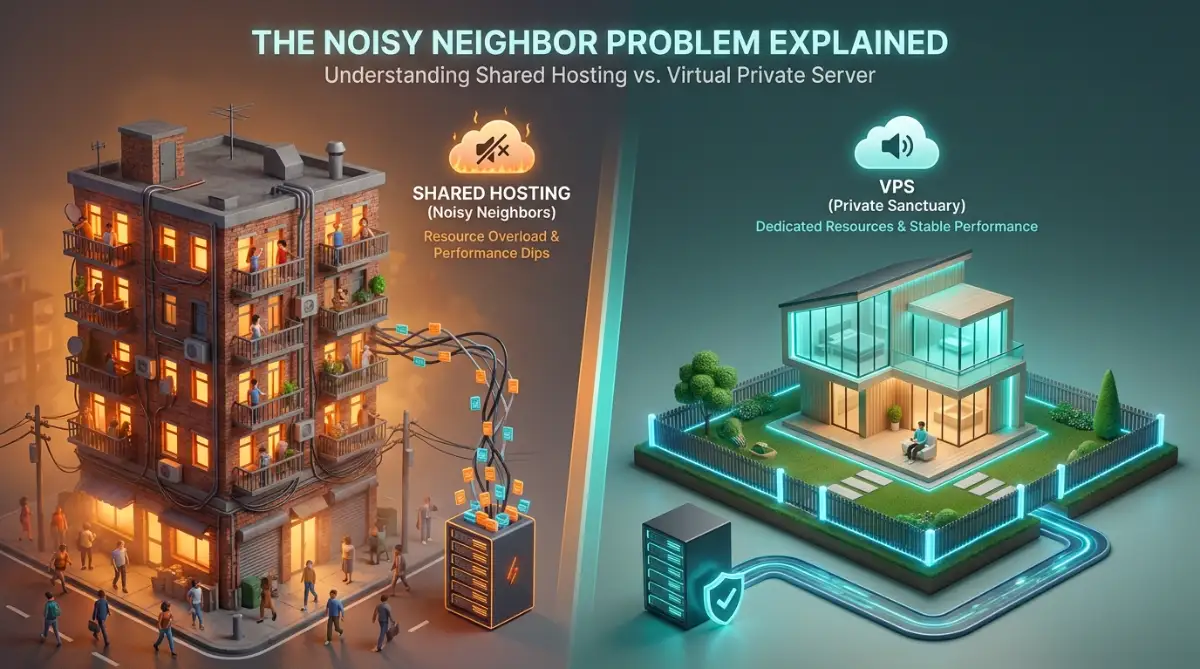
Imagine you are living in a massive apartment building with hundreds of other people. You all share the same main water pipe, the same electricity line, and the same parking lot. If everyone decides to take a shower at the exact same time, your water pressure will drop to a trickle.
This is exactly how shared hosting works behind the scenes. Your website is placed on a single server along with hundreds, sometimes thousands, of other websites. You all share the same processing power, memory, and database connections.
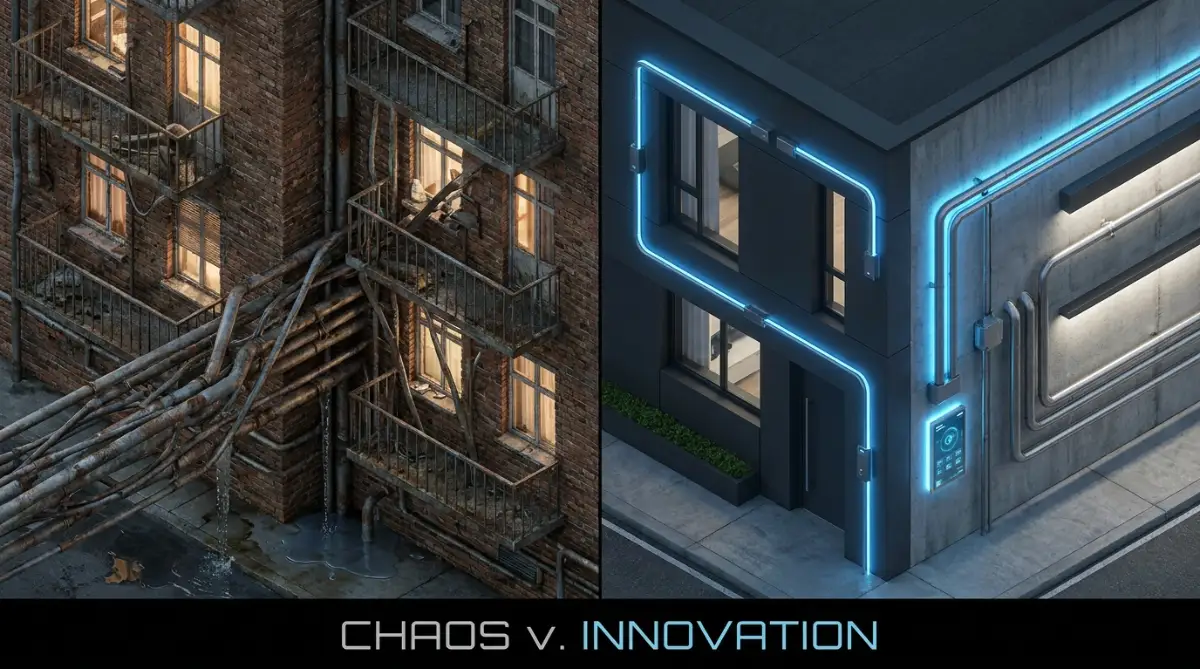
If one website on your server suddenly gets featured on national news, it will pull all the resources to itself. As a result, your website will become painfully slow or completely crash, even if you did absolutely nothing wrong. Industry experts call this the "noisy neighbor" problem, and it is the biggest drawback of entry-level hosting.
Now, imagine moving out of that crowded apartment and renting a private townhouse within a gated community. You still share the neighborhood streets, but your house has its own dedicated water line and electricity meter. No matter what your neighbors do, your water pressure remains perfectly strong and steady.
Myth vs Fact: Do You Need to Be a Tech Nerd?
Myth: You need to know complex coding to run a private server.
Fact: Not anymore. Modern managed setups come with simple dashboards. If you know how to install a basic WordPress plugin, you have enough skills to manage your own server limits today.
This townhouse represents a Virtual Private Server, commonly known as VPS. In this setup, a massive physical server is divided into smaller, completely isolated virtual servers. The hosting company guarantees that you have a specific amount of processing power and memory that belongs only to you.
How Virtualization Changes the Game
The secret magic behind a VPS is a piece of technology called a hypervisor. A hypervisor is a smart layer of software that sits directly on the main physical server. Its only job is to create secure, invisible walls between the different virtual servers.
In a shared environment, the operating system simply throws all the files and database requests into one giant pool. It tries its best to manage everything fairly, but it often fails when things get busy. There are no strict walls, meaning a bad script from another user can take down the entire system.
The hypervisor in a VPS setup completely changes this dynamic. It assigns an exact number of CPU cores and a strict amount of RAM to your specific section. If your virtual server is assigned 4 Gigabytes of memory, those 4 Gigabytes are locked away for your website alone.
Even if the website next door is under a massive cyber attack, your virtual server will not even notice. Your resources remain untouched, ensuring your pages load fast for your readers. This hardware-level isolation is what makes a virtual private server so incredibly stable.
Pro Tip for Monitoring Your Server Limits
When I finally upgraded my first major blog, I made the mistake of not monitoring my new limits. My practical tip for you: Always check your hosting dashboard to see your historical RAM usage over a 30-day period. If you notice your website constantly hitting 80% to 90% of your memory limit, it is a clear sign you need to upgrade your package before a crash happens.
Why Operating System Freedom Matters
When you are on a shared platform, the hosting company controls the entire operating system. You are forced to use the specific versions of PHP, MySQL, and server software that they provide. If you want to run a custom application or a special caching tool, you simply cannot do it.
They have to keep the environment locked down because opening it up would be a security nightmare for everyone else. You are basically renting a room where you cannot paint the walls or change the furniture. For simple blogs, this is perfectly fine, but for complex sites, it becomes a huge roadblock.
With a virtual private server, you get something called root access. This means you have the master key to your digital townhouse. You can install any software you want, tweak the security settings, and optimize the server exactly how you like it.
If you want to use Nginx instead of Apache for better speed, you can easily install it. If you need a specific database structure for a custom web app, you have the total freedom to set it up. This level of control is absolutely essential for growing businesses and high-traffic applications.
Here is a quick look at how you can optimize your site speed with the right knowledge.
Security Differences: The Silent Threat
Security is another major area where the technical architecture creates a massive gap. Hackers are always looking for easy ways to break into systems, and shared environments can sometimes be vulnerable. If a hacker manages to compromise the main server through someone else's outdated website, your site might be at risk too.
Furthermore, everyone shares the same server IP address in a basic hosting plan. If another person on your server starts sending thousands of spam emails, that IP address will get blacklisted by Google and email providers. Because you share that exact same IP, your legitimate business emails might suddenly start going to your clients' spam folders.
A VPS completely eliminates this shared IP risk. You are given your own dedicated IP address that is tied solely to your domain name. Your email reputation is entirely in your own hands, protecting your business communication.
The strict virtual walls created by the hypervisor also prevent malware from spreading across the server. Even if a hacker destroys a virtual server right next to yours, they cannot cross the digital boundary into your files. Your customer data, passwords, and digital assets remain securely locked away.
Dispelling the Myths About Server Management
Let us clear up some common confusion about upgrading your hosting infrastructure.
Myth 1: You need to be a coding genius to run a private virtual server.
Reality: Today, most companies offer "Managed VPS" solutions. This means their expert team handles the technical setup, security patches, and server maintenance for you. You get the power of dedicated resources while still using a simple, user-friendly control panel.
Myth 2: An expensive shared plan is always better than a cheap virtual server.
Reality: Price does not always dictate performance. Even the most expensive shared plan still puts you in a crowded pool with other users. A moderately priced entry-level virtual server will almost always provide better stability because of the guaranteed resource allocation.
Understanding the Cost-to-Performance Ratio
It is natural to worry about the monthly costs when thinking about moving away from basic hosting. Entry-level packages are incredibly cheap, sometimes costing less than a cup of coffee per month. This is highly attractive when you are just starting out and have very little traffic.
However, you have to look at the bigger picture of your website revenue. If your site goes down for four hours during your busiest day, how much ad revenue or product sales will you lose? For many successful websites, the cost of downtime is far higher than the monthly cost of a premium server.
When you look at the technical architecture, a virtual private server offers the best balance of cost and power. You get the premium performance of a fully dedicated physical server, but at a fraction of the cost. The hosting company is still splitting the physical hardware, which keeps the price reasonable for small business owners.
The Scalability Factor: Growing Without Pain
One of the most beautiful things about modern virtual server architecture is how easily it scales. In the old days, upgrading your server meant physically moving hard drives or copying massive files for hours. Your website would have to go offline while the technicians did the heavy lifting.
Because a VPS is software-based, scaling up your resources takes just a few clicks. If you know a big traffic surge is coming next week, you can log into your dashboard and instantly double your RAM and CPU power. The hypervisor simply allocates more of the physical server to your virtual space.
This process usually requires a simple server reboot that takes less than two minutes. Once the busy season is over, you can often scale those resources right back down to save money. This flexibility allows you to pay only for the computer power you actually need at any given moment.
File Storage and Database Management
The way data is written and read from the hard drive also differs greatly between these two architectures. On a shared machine, thousands of databases are constantly reading and writing data to the storage drives at the same exact time. This creates a massive bottleneck, known as Input/Output limits.
When a database bottleneck happens, your website might look like it is loading, but it just hangs on a white screen. E-commerce sites are particularly sensitive to this because every time someone adds an item to their cart, the database has to work hard.
With virtual isolation, your storage Input/Output limits are protected and prioritized. Your database queries do not have to wait in a massive line behind hundreds of other websites. This means your search bars work faster, your shopping carts update instantly, and your admin panel remains snappy and responsive.
The Impact on Search Engine Optimization
Site speed is not just about keeping your readers happy; it directly impacts where you show up on Google. Search engines want to provide the best possible experience for their users. If your website is constantly slow or going offline due to shared resource limits, search engines will notice.
Google uses complex metrics to measure exactly how fast your main content loads and becomes interactive. When you have dedicated CPU cores processing your website code, everything simply runs faster. Your server response time drops significantly, which gives search engines a strong positive signal.
A reliable hosting environment ensures that search engine bots can always crawl your pages without running into errors. If a bot tries to visit your site and gets a server error because of a noisy neighbor, it might leave without indexing your new articles. Upgrading your architecture ensures your hard work actually gets discovered and ranked properly.

A Quick Comparison Snapshot
To make things even clearer, let us look at a direct breakdown of how these two environments handle your daily website operations.
Making the Right Technical Decision
Deciding where your website should live is one of the most impactful choices you will ever make as a digital creator. Staying on a crowded server is perfectly fine when your project is just a hobby or a brand-new test idea. You do not need massive horsepower to serve a few dozen visitors a day.
But the moment your website becomes a serious source of income, the rules of the game change completely. The technical limitations of a shared architecture become a heavy anchor holding your growth back. You cannot afford to lose readers because another random website on your server decided to run a heavy script.
Moving to an isolated virtual server gives you back the control and peace of mind you deserve. You stop worrying about sudden crashes and start focusing entirely on creating amazing content. The underlying technology works for you, silently delivering a fast, secure experience to every single person who clicks your links.
Mastering Your Server Like a Pro: Insider Secrets
Let us talk about what happens after you finally make the choice to upgrade your server environment. Many people think just switching to a better plan automatically makes everything perfectly smooth. The truth is, getting the absolute best out of your hosting architecture requires a few smart tweaks.
I remember moving my first big project to an isolated server and thinking my job was completely done. But I soon realized that without proper optimization, even the most powerful hardware can become slow. You need to combine good hardware with smart software choices to really see that lightning-fast speed.
One of the best secrets I can share with you is implementing a smart content delivery network right from the start. When you use a CDN, you are basically putting a strong shield and an accelerator directly in front of your server. Services like Cloudflare's global network store copies of your images and text in different countries around the world.
This means if someone visits your site from Australia, they download the images from a local Australian server instead of bothering your main server in America. This simple trick immediately reduces the heavy workload on your primary hardware. Your CPU and memory get to focus purely on important tasks, like processing database requests and handling customer checkouts.
If you recently decided to create your first digital product and sell it fast, a CDN ensures your sudden rush of new customers does not crash your checkout page. Your server stays calm and relaxed because the CDN is handling all the repetitive heavy lifting
My Personal Top 3 Speed Stack Combos:
- The Beginner Setup: Namecheap Shared + Free Cloudflare + W3 Total Cache.
- The Sweet Spot: Cloudways (DigitalOcean) + Cloudflare APO + Redis Object Cache.
- The Heavy Hitter: Kinsta + Cloudflare Enterprise + WP Rocket.
- (Pick the one that fits your current budget and monthly traffic!)
Next, let us talk about aggressive memory caching. Caching is basically saving a finalized snapshot of your website so the server does not have to build the page from scratch every single time. On a basic shared plan, you are often limited to very simple file caching because of strict memory rules set by the provider.
However, on an isolated setup, you can use advanced memory caching tools like Redis or Memcached. These amazing tools store database queries directly in your server's RAM. Because reading data from RAM is incredibly fast, your heavy web pages will load in the absolute blink of an eye.
Google officially highlights fast server response times in their Core Web Vitals documentation, making this a direct boost for your search rankings. A faster site directly translates to a much better experience for your mobile users.
Real-Life Scenario: The E-Commerce Rush
Imagine you are running a special weekend discount for your online store. Hundreds of people are browsing, adding items to their carts, and checking out at the exact same time. On a basic shared plan, the database would quickly choke, leading to frustrating timeout errors for your buyers.
With a well-optimized private virtual server, your memory cache handles all the product page views instantly. Your dedicated CPU cores are then entirely free to safely process the actual credit card transactions. Your customers get a smooth shopping experience, and you keep all the profits you worked so hard to earn.
It is exactly like making sure your home network is completely stable. Just as you might take careful steps to stop persistent Wi-Fi drops in multi-story smart homes, you must optimize your server’s internal pathways for uninterrupted data flow. A clear pathway means your data reaches the user without any annoying delays.
Another huge secret involves understanding exactly how PHP workers function behind the scenes. Every time someone clicks a link on your site, a PHP worker is assigned to process that specific request. In a crowded hosting environment, the number of workers is strictly limited and heavily shared among everyone.
When you have your own isolated architecture, you can assign exactly how many workers you need based on your RAM. This means multiple visitors can browse your complex pages simultaneously without waiting in a long invisible line. Your website feels instantly responsive to every single click.
We also need to talk about protecting your business emails with a dedicated IP address. On basic plans, if someone else on your server sends out spam, your shared IP address gets blacklisted. This means your important emails to clients will start landing in their spam folders.
By having a dedicated IP on your own server, your email reputation is one hundred percent in your own hands. Trusted industry sources explain how a dedicated IP improves email deliverability, ensuring your newsletters actually reach your audience. This one small detail can completely save your email marketing campaigns.
Finally, another pro-level secret is turning off software services you simply do not use. Most hosting control panels come pre-loaded with extra mail servers and statistic trackers that you probably never check. Every single one of these background apps secretly eats away at your precious memory limit. By turning them off, you instantly free up more raw power for your actual website visitors.

The Most Dangerous Traps Website Owners Fall Into
Making the jump to better hosting is exciting, but it is also incredibly easy to make expensive mistakes along the way. I have seen so many passionate creators completely mess up their server architecture simply because they missed a few basic details. Let us walk through these common traps so you can safely avoid them.
The absolute biggest mistake I see is completely ignoring automated server backups. When you are on a basic shared platform, the hosting company usually handles daily backups for you in the background. But when you move to an unmanaged private setup, that friendly safety net disappears entirely.
If you accidentally delete an important file or a hacker gets in, and you have no backup, your entire business is gone forever. You must set up an automated, off-site backup system immediately after upgrading. Storing your backups on a completely different network ensures your hard work is safe even if your main server burns down.
Another massive error is falling for the myth of "Unlimited" hosting plans. Many basic providers promise unlimited storage and unlimited traffic for a few dollars a month. But if you read the fine print, they strictly limit your "inodes," which is just a technical term for the total number of files you can have.
Once you hit that hidden file limit, your website will break, even if you supposedly have unlimited storage space left. An isolated server is honest with you; you know exactly how many gigabytes you have without any sneaky tricks. Never trust marketing terms that sound way too good to be true.
Security misconfigurations are another trap that catches many new server owners off guard. Because a virtual private setup gives you total freedom, it also gives you enough rope to accidentally expose your data. If you leave all the digital ports open on your server, malicious bots will find them within minutes.
You must take basic security measures, like changing the default login ports and setting up strict IP blocking rules. Reading up on secure server practices from trusted sources like the Open Web Application Security Project (OWASP) can literally save your business from a devastating attack. A secure server is the true foundation of a safe, profitable business.
Many people also make the mistake of overestimating their own technical skills. They buy a completely unmanaged server because it is slightly cheaper, only to realize they have no idea how to install a database. Unless you love typing commands into a black computer screen all day, always spend a few extra dollars on a managed solution.
A managed service gives you a friendly visual dashboard while the experts handle the tricky background code. I actually relate this directly to building a freelance career from the ground up. If you want to start a writing business without prior experience, you focus on your writing, not on building complex accounting software. Focus on your content and let the server experts handle the messy technical updates.
Ignoring server location geography is another hidden mistake that ruins website speed. If ninety percent of your readers live in the United Kingdom, buying a server located in Australia is a terrible idea. The physical distance the data has to travel will cause a noticeable delay on every single page load. Always choose a data center that is physically close to your primary audience.
Finally, people often fail to monitor their actual traffic growth over time. Just because you upgraded your architecture once does not mean you are perfectly set for the rest of your life. As your website gains more authority and traffic, you will eventually outgrow your new limits too. Make it a solid habit to check your resource dashboard at the end of every single month.
Your Ultimate Action Plan for Server Dominance
We have covered a lot of deep technical ground today, but you do not need to feel overwhelmed. The whole point of understanding these different architectures is to give you total control over your online destiny. You are no longer guessing why your website feels slow; you actually know the real mechanics behind the curtain.
You now understand that staying in a crowded digital apartment will eventually hold your business growth back. You know exactly how hardware isolation works and why having your own dedicated memory makes such a massive difference. Now it is time to turn this fresh knowledge into actual, positive results.
Here is your straightforward checklist for tomorrow morning:
First, log into your current hosting account and honestly look at your daily resource usage graphs. Are you constantly hitting the red memory limit line during your busiest hours? This is your biggest warning sign.
Second, check your website speed on mobile devices using different network connections. If your server is struggling to deliver content quickly, your mobile readers will leave before the text even loads.
Third, start researching managed private server options that perfectly fit your current budget. Do not rush this process; take your time and find a reliable company with amazing round-the-clock customer support.
Remember, improving your infrastructure is a direct investment in your future. Just like understanding how to make your phone batteries last for years requires knowing how power works, keeping your website fast requires knowing how servers work. Knowledge is what keeps your digital assets running smoothly.
Every single second you save on page load time translates directly into happier readers and higher revenue. The technical foundation of your website dictates exactly how high you can eventually build your brand. Do not let outdated, shared hardware limit the incredible potential of your amazing content.
Once you make the switch, pay close attention to your website bounce rate. You will quickly notice that people are staying on your pages much longer because the site feels responsive and snappy. That feeling of providing a great user experience is incredibly rewarding.
I spent way too many nights stressing over crashed servers before I finally took the leap and upgraded my own architecture. Taking control of my hosting environment was honestly the best technical decision I ever made for my online business. You have all the knowledge you need right now, so go out there and build a website that never slows down.
Common Questions About Hosting Architecture
Can a total beginner handle a private virtual server?
Yes, a beginner can absolutely handle it if they choose a "managed" package. The hosting company takes care of the complicated technical setups, firewalls, and security updates for you. You just use a simple control panel to manage your website, very similar to basic hosting.
Will my website go offline during the server upgrade?
If the migration is handled correctly, your website will not experience any noticeable downtime. Most good hosting companies offer free professional migration services when you decide to upgrade. They copy everything behind the scenes and seamlessly switch the connection over when it is fully ready.
Do I still need a caching plugin if I upgrade my server?
Yes, you absolutely still need proper caching to get the very best performance. A powerful server gives you a great foundation, but a caching plugin ensures the server works as efficiently as possible. Combining strong hardware with smart software is the true secret to blazing fast speeds.
Is a private virtual server completely safe from hackers?
No server is one hundred percent safe from every single digital threat in the world. However, the hardware-level isolation makes it significantly harder for hackers to reach your files compared to a shared environment. You still need to use strong passwords and keep your website software updated at all times.
How do I know the exact moment I need to upgrade?
The clearest sign is when your website starts loading very slowly during your peak traffic hours. If you start seeing "503 Service Unavailable" or database connection errors, your current plan is completely maxed out. Always check your hosting dashboard to see if your CPU and RAM usage are constantly hitting their limits.
Disclaimer: The information provided in this article is for educational and informational purposes only. Hosting experiences may vary based on individual configurations, website size, and specific service providers. Always consult with a professional technical support team before making major changes to your server infrastructure.