The Morning My Digital World Almost Collapsed
You wake up, grab your morning coffee, and type your website address into your browser—only to see a totally blank screen. Panic instantly sets in. Someone just hijacked your domain name, and your entire online business disappeared overnight. Trust me, losing your digital real estate is a nightmare you never want to face. But here is the good news: fixing a few simple settings today can stop hackers dead in their tracks. Let me show you exactly how to protect your hard work.
Every single day, hardworking business owners wake up to this exact same nightmare. You pour your heart, sweat, and hard-earned money into building an online brand, only to have it ripped away by an invisible thief. The mental toll this takes on a normal person is absolutely devastating.
We always remember to lock our physical front doors and install cameras to protect our offices. Yet, we leave our most valuable digital assets completely wide open for anyone to easily take. When your web address is stolen, you do not just lose a simple name on the internet. You instantly lose your business email access, your private customer data, and your entire brand reputation.
Quick Takeaways: Secure Your Digital Property Fast
- Lock It Down: Always enable "Registrar Lock" to block automated transfer thefts instantly.
- Hide Your Info: Use WHOIS privacy protection to stop endless spam calls and scam invoices.
- Double Up Logins: Set up Two-Factor Authentication (2FA) using an app, rather than relying on basic text messages.
- Own Your Assets: Never let a web developer register your web address under their own personal name or email.
- Set and Forget (Safely): Turn on auto-renewal so you never accidentally lose your brand name to domain snipers.
Myth vs Reality: Your Online Identity
Myth: Only massive, global corporations get targeted by professional hackers.
Reality: Small and medium business owners are actually the most common targets because they usually skip basic safety settings.
Hackers know that independent entrepreneurs are often too busy managing daily operations to double-check their backend settings. They rely on our natural human tendency to set things up once and completely forget about them. But ignoring this reality does not make the danger go away. It only leaves your digital front door wide open.
Locking Down Your Digital Real Estate: What Actually Works
If you want to sleep peacefully at night, you need to build an invisible fortress around your web address. You do not need to be a tech genius to understand these protective layers. You just need to know what to look for when choosing your service provider. Let us walk through the most effective ways to keep the bad guys out.
The Heavy-Duty Deadbolt: Transfer Protection
Think of transfer protection as a heavy-duty deadbolt on your digital front door. When this feature is turned on, it is physically impossible for anyone to move your web address to a different provider. Even if a hacker manages to guess your main password, they will hit a massive brick wall.
This simple switch blocks automated transfer requests instantly. The receiving system sees the lock and immediately rejects the attempt without asking any questions. Every reliable service provider should offer this locking mechanism completely free of charge. If your provider charges extra just to flip this switch, you should probably look for a new place to host your online identity.
To turn this off, you normally have to verify your identity through multiple steps. This adds a tiny bit of friction when you actually want to make changes yourself. However, that slight inconvenience is exactly what keeps your digital property safe while you sleep.
The Invisibility Cloak: Hiding Your Private Details
Whenever you register a new web address, international rules require your personal contact information to be stored in a public directory. This means your full name, home address, personal phone number, and email are available for anyone to see. Scammers use automated software to scrape this public directory every single second of the day.
This is exactly why you start receiving endless spam calls and shady emails the moment you launch a new website. You need a feature called privacy protection to act as an invisibility cloak. Instead of showing your real home address, the public directory will show the generic contact details of your service provider.
This protects you from annoying marketers, identity thieves, and malicious actors trying to build a profile on you. Never underestimate the danger of having your personal cell phone number exposed to the entire internet. It only takes one clever social engineering trick for a scammer to convince your phone company to redirect your text messages.
Real-Life Alert: The "Fake Invoice" Scam
Did you know that within hours of registering a domain without privacy protection, your information hits dozens of public databases? Scammers use this data to mail you physical letters that look exactly like official bills from your hosting company. If you or your accountant pays it without thinking, you just handed over $200+ to a fake company overseas. Always keep your WHOIS data strictly hidden!
I learned this the hard way when I first started my online journey. I tried to save a few dollars by skipping the privacy add-on. Within three days, my inbox was completely flooded with fake invoices and my phone rang constantly with automated scam calls. My Pro Tip: Never, ever skip privacy protection to save a few pennies. I once made that exact mistake, and I spent the next six months trying to clean up my spam folders and block unknown callers. Your personal privacy is worth far more than the cost of a cup of coffee.
Want to see exactly how these privacy settings work behind the scenes? Watch this quick breakdown below to understand the mechanics of domain privacy.
The Strict Bouncer: Two-Factor Authentication
A strong password is no longer enough to protect your business. Hackers use powerful computers to guess millions of password combinations in a matter of minutes. You need to add a strict bouncer to the front door of your account.
Two-factor authentication requires anyone trying to log in to provide a second piece of proof. Usually, this is a temporary code sent directly to your mobile phone or generated by a special app. Even if a thief steals your exact password, they cannot get past the login screen without physically holding your personal smartphone.
You must ensure your provider supports authenticator apps rather than just text messages. Text messages can sometimes be intercepted by highly skilled attackers. An authenticator app generates a new code offline every thirty seconds, making it incredibly secure.
Advanced Shielding: Preventing The Fake Map Trick
Imagine telling your customers to visit your physical store, but a prankster has changed all the street signs in your city. Your customers would end up completely lost or, worse, at a fake store designed to steal their credit cards. This is exactly what happens during a technical attack called DNS hijacking.
The system that connects your web address to your actual website acts like a digital map. If hackers alter this map, they can secretly redirect all your business traffic to a malicious website. This fake website might look exactly like yours, tricking your loyal customers into handing over their private payment details.
To prevent this, you need a highly advanced feature that acts like a tamper-proof seal on your digital map. This technology ensures that the directions connecting your visitors to your website can never be secretly altered. When you are comparing different registration plans, you must ask if they support this advanced directional security.
The Safety Net: Intelligent Auto-Renewal Settings
Losing your web address to a hacker is terrible, but losing it because you forgot to pay a small renewal bill is deeply frustrating. We all get busy managing our businesses, and an email reminder about a small annual fee can easily get lost in a messy inbox. When your registration expires, it eventually goes back on the open market for anyone to buy.
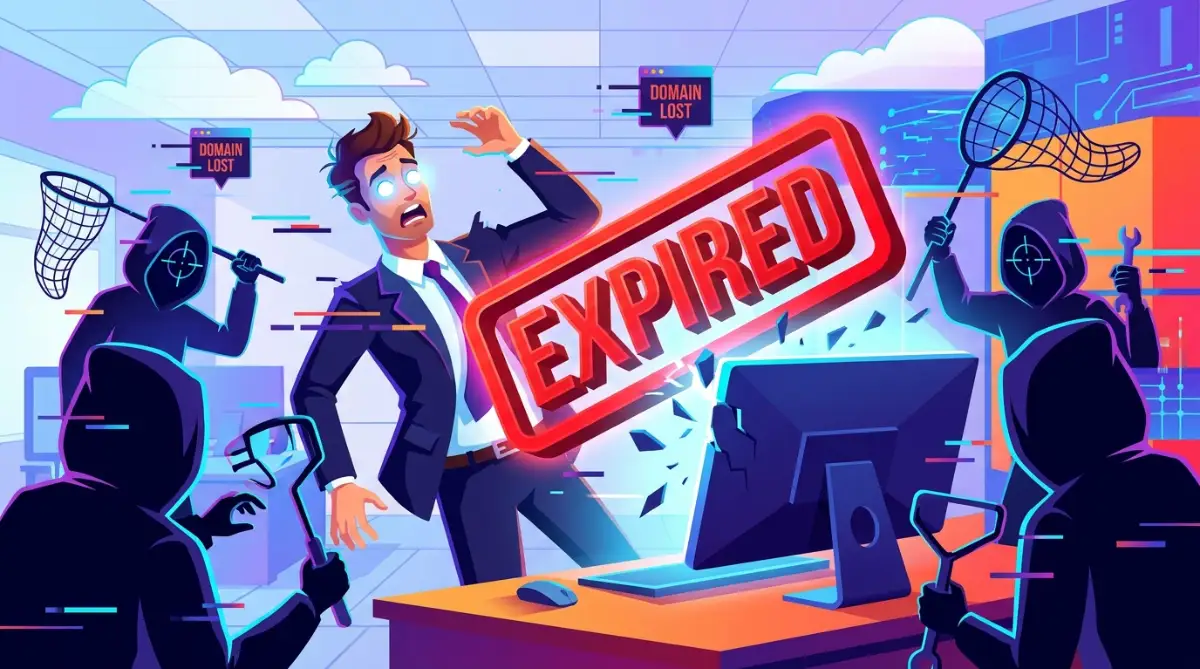
Competitors or professional domain investors use software to constantly monitor for valuable web addresses that accidentally expire. The very second your property drops, their automated systems will purchase it instantly. They will then try to sell your own business name back to you for thousands of dollars.
A proper registration plan must include a reliable automatic renewal system. It should attempt to charge your card well before the actual expiration date. This gives you plenty of time to update your payment details if your credit card happens to be expired or blocked.
The Ultimate Vault: Registry Level Locking
For businesses that generate high revenue, standard security might still feel a bit thin. If you run an online store processing thousands of orders, you need the absolute highest level of protection available. This is where a premium service called a registry lock comes into play.
A registry lock is completely different from a standard transfer lock. Instead of just flipping a switch in your online dashboard, this feature requires physical human verification. If anyone wants to make a major change to your web address, your service provider must actually call a pre-authorized person on the phone.
They will ask specific security questions that only you know the answers to. No automated system can bypass this human checkpoint. While this level of protection usually costs extra and slows down administrative tasks, it provides an unbeatable layer of safety.
Watching The Back Door: Staff Access Controls
As your business grows, you will likely need to hire web developers, marketing agencies, or IT staff. Sharing your master username and password with outside contractors is an absolute recipe for disaster. If an employee leaves on bad terms, they could easily lock you out of your own account.
A high-quality registration plan allows you to create separate, limited accounts for your team members. You can give your web developer permission to update technical settings without giving them the power to transfer or delete your entire property.
Quick Audit: Do You Actually Own Your Domain?
Take 60 seconds right now to log into your account and check these three things:
- Billing Contact: Is your own credit card on file?
- Admin Contact: Does this point to an email address you control? (Never use an email tied to the domain itself!)
- Registrant Name: Is it your legal name or your company's name, rather than your web designer's?
- If you answered "No" to any of these, you need to update your settings before you go to sleep tonight.
You remain the undisputed master owner, holding the keys to the kingdom. If a contractor finishes their job, you can instantly revoke their access with a single click. This guarantees that your business assets remain strictly under your final control, no matter who helps you build your website.
Protecting your online identity is not about living in constant fear. It is about taking smart, logical steps today so you can focus entirely on growing your business tomorrow. Take a few minutes this afternoon to log into your account. Check your settings, turn on those locks, and give yourself the peace of mind you truly deserve.
Taking Your Brand Armor To The Next Level
Once you have the basic locks in place, you need to think about long-term survival. The internet is full of automated bots that constantly look for tiny gaps in your digital armor. If you want to keep your business permanently safe, you must move beyond the standard default settings.
One of the smartest things you can do today is set up a completely separate email address for your administrative accounts. A massive mistake business owners make is using their own company email to register their company web address. Imagine what happens if a technical glitch takes your website offline.
If your domain goes down, your custom business email instantly stops working too. You will be completely unable to receive the password reset links needed to fix the problem. This creates a terrifying loop where you are permanently locked out of your own digital property.
Always use a secure, independent email provider for your master registration account. This guarantees you will always have a back door to regain control during an emergency. I highly recommend keeping this specific email address a complete secret from everyone else.
The Wax Seal Strategy: Advanced DNS Protection
We talked earlier about keeping your digital map safe from hackers. To make that system truly bulletproof, you should look into a technology called DNSSEC. You can think of this feature like a heavy wax seal on an old-fashioned envelope.
When your customer types your web address into their browser, the internet sends back directions to your server. DNSSEC adds a special cryptographic signature to those directions. If a hacker tries to intercept and change the map, the browser will see that the seal is broken.
The customer’s screen will immediately show a massive warning sign, blocking them from visiting the fake website. Not every provider supports this advanced feature by default. You should actively ask your hosting company if they offer this extra layer of validation for your account.
Guarding The Perimeter With Defensive Buying
Protecting your brand is not just about locking down your main website name. Scammers love to register names that look almost exactly like yours, just with a tiny spelling mistake. They use these fake addresses to send fake invoices to your clients or trick your regular visitors.
If you are planning to create your first digital product and sell it fast, you must protect the name of that product before making any public announcements. Smart entrepreneurs practice something called defensive registration. This means you buy the most common misspellings of your brand name.
You should also grab the other popular endings like the dot-net or dot-org versions of your primary address. You do not need to build full websites on these extra names. You simply redirect them all straight to your main secure website.
This inexpensive strategy builds a wide safety net around your primary business. It stops bad actors from impersonating your brand and stealing your hard-earned reputation. It also catches any potential customers who happen to type your name slightly wrong in their browser.
Setting Up Early Warning Alarms
Even with the best locks in the world, you still need an alarm system to warn you if something looks suspicious. Many premium providers offer free monitoring tools that send you instant text alerts. You will be notified the very second someone tries to change your passwords or update your contact details.
If you receive an alert while you are sleeping, you can take immediate action to freeze the account. Understanding network security is very similar to understanding home networks. Just like learning how to stop persistent Wi-Fi drops in multi-story smart homes, you need to constantly monitor your digital environment for sudden changes.
I also suggest keeping a close eye on the public registration database yourself. You can use the official registration data lookup tool provided by ICANN to verify your records every few months. Catching a small unauthorized change early can save your entire business from disaster.
The Dangerous Traps That Catch Smart Entrepreneurs
Most people do not lose their digital property to genius hackers typing furiously on green screens. They lose their business because they fall into very simple, easily avoidable administrative traps. Understanding these common pitfalls will save you from months of intense anxiety and legal battles.
The most common trap happens when you hire someone else to build your website for you. Many business owners simply hand over their credit card and let the web developer register everything in the developer’s name. This is a massive, incredibly dangerous mistake.
When the developer registers the name using their own details, they become the legal owner of your business address. If you ever have a disagreement with them, they can simply hold your entire website hostage. They can shut down your emails overnight or demand huge sums of money to give you access.
You must always register your main digital assets yourself, using your own name and your own credit card. If you want to start a writing business without prior experience, your absolute first step must be securing legal ownership of your brand. You can easily grant temporary technical access to your developer later without giving away the actual ownership rights.
The Accidental Expiration Nightmare
Another devastating mistake is ignoring automated emails from your service provider. Many people assume these messages are just boring marketing newsletters and send them straight to the trash. Sometimes, these emails are legally required notices asking you to verify your contact information.
If you ignore a verification email for too long, international rules force the provider to suspend your website completely. Your customers will see a terrifying error page, and your sales will drop to zero instantly. You should always read emails from your registrar very carefully to ensure your account remains in good standing.
This ignoring habit also leads to the dreaded accidental expiration. Maybe your business credit card expired, or your bank blocked the automatic renewal charge because it looked suspicious. If you miss the payment warning emails, your web address will silently expire.
Once an address expires, it eventually goes to a public auction where anyone in the world can buy it. I have seen highly successful business owners forced to pay thousands of dollars to buy back a name they originally registered for fifteen dollars. Always set calendar reminders on your phone a month before your renewal date just to be safe.
The Weak Password Chain Reaction
People are naturally lazy when it comes to remembering passwords. We tend to use the exact same password for our social media, our shopping apps, and our business accounts. This creates a dangerous chain reaction if just one of those platforms gets compromised.
If a hacker steals your password from a random fitness app, they will immediately try that exact same combination on your business accounts. You must use a unique, highly complex password strictly for your registration account. Following the basic password security practices outlined by NIST is an absolute must for any serious entrepreneur.
Furthermore, you must protect the physical devices that generate your login codes. Since your smartphone usually acts as your master key for two-factor authentication, keeping that phone alive is essential. Reading up on the science of phone batteries how to make yours last for years ensures you never find yourself completely locked out of your account during a business emergency.
Your Next Moves For Total Peace Of Mind
Protecting your online brand does not require a degree in computer science. It simply requires you to be proactive instead of waiting for a disaster to strike. By taking control of your digital assets today, you build a solid foundation of trust with your future customers.
Let us do a quick review of the most practical steps you can take right now. First, immediately log into your account and verify that your personal contact details are completely hidden from the public. Second, flip the switch to lock your web address from being transferred away.
Here is a quick action checklist for your business:
- Use an independent, secret email address for your master login.
- Turn on authenticator app security for your main dashboard.
- Verify that you are listed as the primary legal owner, not your web developer.
- Set up a calendar reminder to check your payment methods every single year.
You should also educate your staff about these security measures. A team that understands the risks of weak passwords and fake emails is your best defense. You can review the official cybersecurity awareness resources by CISA to help train your employees to spot online danger before it happens.
Every single minute you invest in securing your foundation today will pay massive dividends down the road. You have worked incredibly hard to build a business that people trust and rely on. Do not let a simple technical oversight wash away all of your amazing progress.
When I look back at my own near-disaster, I realize that it was the best wake-up call I could have ever asked for. I took immediate action that very same day, and I have slept incredibly well every single night since. My biggest piece of advice is to stop putting this off—go secure your digital front door right now so you can focus entirely on achieving your biggest dreams!
Questions You Might Still Have About Securing Your Web Address
Does domain privacy completely block hackers?
Privacy protection acts as an amazing shield to hide your personal information from scammers, but it does not stop actual hacking attempts. You still absolutely need strong passwords, two-factor authentication, and transfer locks to keep bad actors out of your account completely.
What actually happens if my web address expires by accident?
If you miss your payment, your website and emails will immediately stop working. Most providers give you a short grace period of about thirty days to pay the normal fee and get it back. After that, it goes into a highly expensive redemption phase or gets auctioned off to the highest bidder.
Can someone steal my website name if the transfer lock is on?
If the transfer lock is actively turned on, it is virtually impossible for an automated system to move your name to another company. However, if a hacker gains full access to your master dashboard, they can simply turn the lock off themselves. This is exactly why protecting your main login screen is your most important task.
How long does it usually take to get a stolen domain back?
Recovering a stolen web address is a miserable, highly stressful process that can easily take several months of legal fighting. You have to submit massive amounts of paperwork to international authorities to prove you are the original owner. It is always significantly easier and cheaper to prevent the theft from happening in the first place.
Should I really buy all the different extensions for my brand?
You do not need to buy every single obscure extension on the internet, as that would get very expensive quickly. However, buying the top three or four most popular variations (.com, .net, .org) is a highly recommended strategy. It prevents copycats from easily stealing your brand identity and confusing your loyal customers.
Disclaimer: The information provided in this article is for educational and informational purposes only and should not be construed as professional legal or technical cybersecurity advice. While we strive to provide accurate and up-to-date information, internet security protocols change rapidly. Always consult with a certified IT professional or your official service provider before making significant changes to your business infrastructure. We are not responsible for any digital asset loss or technical issues resulting from the implementation of these general guidelines.

![7 Hidden Truths About Shared vs VPS Hosting [Read Before Upgrading]](https://vimex24.com/storage/uploads/blogs/1786336718_7-hidden-truths-about-shared-vs-vps-hosting-read-before-upgrading.webp)