The Real Pain Behind a Suddenly Slow Website
You hit publish on your newest post, share the link with your followers, and wait for the traffic to roll in. But instead of getting excited comments, someone messages you: "Hey, your site won't load." I know that awful, sinking feeling in your stomach. Let's find out what is actually choking your server and fix that annoying loading wheel of death right now.
I had spent months building my online audience and writing content I was proud of. Seeing my site crawl like an old dial-up connection felt like a punch in the gut. I knew my visitors were clicking away and finding other websites instead of waiting for mine.
After checking my design, images, and plugins, I realized everything on my end was completely clean. The real issue was hidden deep inside my hosting account, where my server resources were quietly being choked to death. It made me realize how helpless we feel when our hard work disappears because of a bad hosting setup.
Millions of website owners experience this exact nightmare every single day without even realizing what is happening. You watch your hard-earned traffic drop, your search rankings slip, and your income dry up. It feels like trying to run a marathon while wearing heavy lead boots.
The worst part is the constant anxiety of checking your site every hour just to see if it is online. You lose sleep wondering if your latest post is loading fast enough for your readers. This constant stress can make you want to throw your hands up and quit your online journey altogether.
Many people blame their images or plugins, buying expensive optimization tools that do not solve the real issue. They waste time and money while their server resources remain badly managed and choked. It is time to look behind the curtain and fix the actual root cause of this painful problem.

Fast Facts: Fix Your Server Slowdowns Today
- Check the Engine First: High CPU and RAM usage causes your site to freeze, not just bad plugins.
- Beware of "Unlimited" Traps: Cheap shared hosting heavily restricts how much processing power your specific site can actually use.
- Follow the Data: Always check your hosting dashboard's resource graphs before you spend money on premium caching tools.
- Upgrade Smartly: Moving your site to a dedicated setup (like a VPS) is often the fastest way to get your load speed back for good.
The Hidden Connection Between Server Allocation and Page Speed
When we talk about web performance, we often focus on things we can see. We optimize images, clean up script files, and install caching plugins to make things run fast. But none of these front-end fixes will help if the engine under the hood is starving for fuel.
Your web hosting server is exactly like a physical computer. It has a processor, memory, and disk space that it uses to run your website for visitors. When a user clicks on your link, the server must process that request using those physical parts.
If your hosting provider does not give your site enough of these parts, everything slows down. This is called poor resource allocation, and it acts like a strict speed limit on your online business. Let us break down how these invisible limits affect your daily loading times.
Understanding the Heavy Toll of CPU Throttling
Your server CPU is the brain that processes every single click, search, and page load on your site. When a visitor arrives, the CPU works hard to build the page and send it to their screen. If you have too many visitors at once, the CPU needs more power to keep up.
In cheap hosting environments, hundreds of websites share the exact same CPU brain. If one site gets a massive traffic spike, it can hog all the processing power for itself. When this happens, your hosting provider will throttle your CPU usage to protect the other sites.

When throttling happens, your website is forced to wait in a digital line. Even if your site is small, it will load slowly because the server brain is too busy elsewhere. It is like being stuck in a massive traffic jam because of an accident miles ahead of you.
Why RAM Starvation Freezes Your User Experience
Random Access Memory, or RAM, is the temporary workspace your server uses to hold active data. Every active plugin, database query, and visitor session takes up a small slice of this workspace. The more complex your website is, the more RAM it requires to run smoothly.
When your server runs out of RAM, it cannot hold any more temporary information in its fast-lane memory. Instead, it is forced to use the much slower hard drive to process active requests. This process is called swapping, and it causes your load times to drop off a cliff.
If the RAM shortage becomes too severe, your server might simply stop trying. This is when visitors start seeing scary database connection errors instead of your content. Your site does not just load slowly; it completely stops working for your audience.
The Real Truth Behind Unlimited Hosting Plans
Many hosting companies attract customers by promising unlimited resources for a very low price. They use words like unlimited bandwidth and unlimited space to make you feel safe and protected. However, these marketing terms do not match how servers actually work in the real world.
For example, they might let you host unlimited websites on your account. However, all those websites must share the exact same tiny pool of RAM and CPU. This means your own sites will end up competing against each other for survival.
Hosting Myth vs. Reality
- The Myth: "Unlimited" hosting plans mean I never have to worry about traffic spikes again.
- The Reality: There is no such thing as a truly infinite server. Providers use "unlimited" to describe bandwidth or disk space, but they strictly cap your RAM and CPU usage. If you read your provider's fair use policy, you will spot these exact limits hiding right there in the fine print!
Additionally, they often limit the speed at which your files can be read from the drive. This means you might have plenty of space, but your files will load incredibly slowly anyway. The limits are always there; they are just hidden deep inside the fine print of your contract.
The Slow Nightmare of Input and Output Bottlenecks
Input and Output speed, often called IO speed, is the rate at which your server reads and writes data. Every time a visitor loads a page, the server must read files from its hard drive. If your host limits your IO speed, this reading process takes much longer.
Think of IO speed as the width of a water pipe flowing into your home. If the pipe is very narrow, only a tiny trickle of water can come out at once. Even if you have a massive water tank, you still have to wait a long time to fill a simple glass.

This bottleneck is especially painful for dynamic websites like online stores or membership communities. These sites constantly read and write new information to the database for every single click. If your IO limits are set too low, your checkout and login pages will feel incredibly sluggish.
Get a Clear View of Your Real-Time Server Health
If you want to know exactly how much pressure your website is under, watch this quick guide on tracking resource usage.
[Insert YouTube Video Link Here]
Realizing My Own Costly Server Mistake
I used to think that buying the cheapest hosting plan was a smart way to save money. I kept adding plugins, big images, and new features, ignoring the warning signs in my dashboard.
My biggest mistake was thinking that a slow loading speed was just a temporary glitch on the internet. I had to learn the hard way that saving a few dollars on hosting was costing me hundreds of dollars in lost readers.
I only woke up after my daily traffic dropped by more than half. I opened my hosting dashboard and saw that my CPU usage had been hitting its limit for weeks.
How Slow Database Queries Pile Up Under Pressure
Every modern website relies heavily on a database to store posts, comments, and settings. When a page loads, the server runs database queries to pull this content together. If your server is short on resources, these queries start to pile up like dirty dishes.
A single slow query can hold up the entire page creation process for a visitor. If multiple users are trying to load pages at the same time, the database queue grows longer and longer. Eventually, the server times out, leaving your visitors looking at a completely blank screen.
This issue is made worse when your hosting provider limits the number of active database connections. Once you hit that hard limit, any new visitor is immediately blocked from seeing your site. It is a silent killer because it often happens during your most popular traffic hours.
The Danger of Entry Level File Limits
Many website owners do not know about file limits, which are simply the total number of files on your hosting account. Every single image, email, plugin file, and page counts as one single unit. Even if you have plenty of disk space left, hitting this limit will freeze your site.
When you reach your file limit, your server cannot create any new temporary files. This means caching plugins stop working, database updates fail, and your site speed drops instantly. It is a hidden wall that many creators run into as their content library grows over time.
To keep your site healthy, you must regularly clean out old backups and unused files. Managing your files keeps your account light and ensures your server can breathe easily. A clean server is always a fast and responsive server.
Easy Steps to Reclaim Your Website Speed
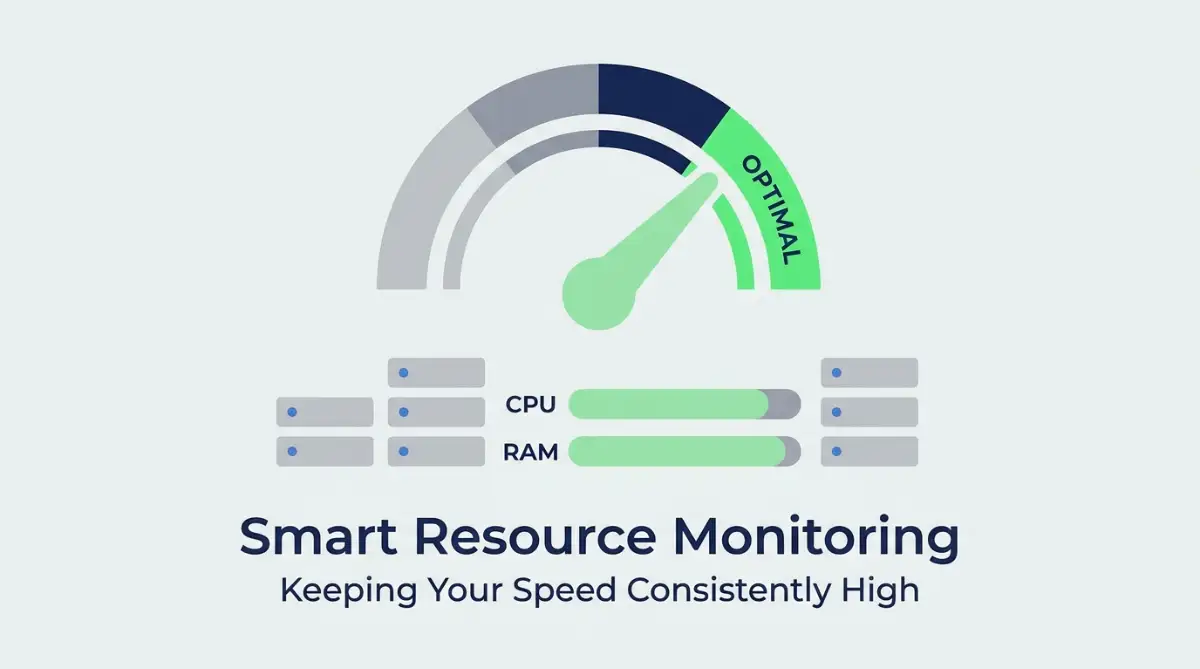
The first step in fixing this issue is to check your hosting control panel for resource usage graphs. Look closely at your CPU, RAM, and physical memory usage over the past thirty days. If you see constant red spikes, it is a clear sign that your current plan is too weak.
My 3-Minute Server Health Check:
- Log into your cPanel or custom hosting dashboard.
- Find the "Resource Usage" or "Metrics" application.
- Look for "Faults" or "Limit Hits." If you see numbers higher than zero next to CPU or Physical Memory limits today, your site is actively choking and dropping visitors.
Next, you should try to reduce the overall work your server has to do for each visitor. You can do this by using a high-quality content delivery network to serve your static files. This takes the heavy lifting off your main server, keeping your resource usage low.
Finally, consider upgrading to a hosting plan that offers dedicated resources. On a dedicated setup, your CPU and RAM are locked to your account and cannot be stolen by other users. This simple switch can instantly restore your load speed and keep your visitors happy.
Keeping Your Digital Engine Running Fast
To wrap things up, website load speed is not just about keeping your files small and your images compressed. It is about making sure your server has the physical power it needs to process your pages quickly. When you give your site the right resources, it will naturally reward you with better rankings and happier readers.
Keep a close eye on your hosting dashboard and listen to the warning signs before a crash happens. Your website is your digital home, and it deserves a strong, reliable foundation to stand on. Treat your server well, and your business will continue to grow without any invisible limits holding you back.
Pro-Level Secrets for Long-Term Server Health
When you want to keep your website running at maximum speed, you have to look beyond basic caching plugins. The most successful website owners use advanced methods to manage their server load automatically. By setting up these smart systems, you ensure your server always has a safe buffer of power.
One of the best secrets is implementing server-side object caching like Redis or Memcached. This technology stores database query results in the server memory so the database does not have to work hard for every repeat visitor. It reduces your CPU usage instantly because the server does not have to rebuild the same pages over and over again.
According to research data on page weights hosted by HTTP Archive, modern page requests are heavier than ever, making memory management a top priority. When you store common query results in the RAM, your page load speed stays stable even during high-traffic hours. It is like keeping your most used tools on your desk instead of walking to the garage to get them every time.
Another advanced strategy is adjusting your PHP-FPM process manager settings in your hosting environment. PHP-FPM controls how many active processes your server can run at the exact same time. If this limit is too low, your visitors are forced to wait in a digital queue, causing your load speeds to drop.
To learn more about how servers handle active processing requests, you can study the standard server architectures detailed by the Apache HTTP Server Project. By configuring your processes to dynamically scale with traffic, you prevent resource starvation before it even starts. Your hosting dashboard usually allows you to tweak these numbers with just a few simple adjustments.
Reading through hosting contracts and terms of service can often feel confusing and overwhelming. It is very similar to scanning for hidden traps in commercial leases where hidden limits can cost you a lot of money down the line. Make sure you know exactly what your resource limits are so you never get surprised by a sudden suspension.
Finally, you should make sure your server is using the modern HTTP/3 protocol. This protocol allows the server to send multiple files to a visitor's browser at the exact same time over a single connection. It dramatically reduces the round-trip time for data, which naturally protects your server from processing overload.
Major Pitfalls that Webmasters Face When Optimizing Servers
When website owners notice their site is slowing down, they often make the mistake of adding more optimization plugins. They buy image compression tools, script minifiers, and database cleaners all at the same time. This actually makes the problem worse because running more plugins uses up even more CPU and RAM.
If your website goes down permanently because of severe resource abuse, you risk losing your digital audience. It can feel as disorganized as figuring out what actually happens to your assets if you die without a legal will leaving everything in total chaos. Always address the hosting foundation first before adding complex layers of plugins.
Another massive mistake is choosing a hosting plan based only on cheap, biased affiliate review blogs. These reviews often hide the actual CPU and RAM limitations to earn a quick sales commission. You must look for real, unbiased testing data before trusting a host with your business.
Many developers also make the mistake of ignoring their server error logs. These logs are simple text files that show exactly what is causing your system to work too hard. By ignoring them, you might spend days trying to fix the wrong issue while a single broken script quietly drains your power.
To understand how to read these system diagnostics properly, you can follow the official performance benchmarks on Google Web.dev. Their tools can help you pinpoint if your slowdown is coming from server response times or design issues. Correctly diagnosing the issue saves you time and keeps you from wasting money on unneeded upgrades.
Some webmasters also forget to set up basic security firewalls at the DNS level. Without a firewall, bad bots and spam scrapers can flood your site with thousands of fake visits per minute. This useless traffic quickly eats up your CPU allocation, leaving nothing left for your real human visitors.
Always protect your login pages and search forms from being abused by automated scripts. These forms are highly dynamic and require a lot of database power to process. When you block the bots, you instantly free up massive amounts of server power for your actual readers.
The Action Plan for Your Tomorrow
To wrap things up, taking control of your server resources is the ultimate secret to a lightning-fast website. You do not need to be a professional systems engineer to make smart, impactful changes today. By monitoring your dashboard and keeping your files clean, you build a highly reliable digital space.
Getting quick funding to solve an urgent technical emergency can prevent major downtime for your business. Some owners look for no credit check loans to quickly pay for urgent infrastructure upgrades when their site crashes. Keep your server healthy so you never have to make rushed, emergency decisions under pressure.
Always remember that your website load speed directly affects your search engine rankings and your reader trust. When your pages load instantly, your users stay longer, click more links, and convert better. It is the best foundation you can build for any online project.
I have spent years testing different hosting setups and making every mistake in the book. My hope is that my personal journey helps you avoid the painful slowdowns and crashes that I had to face. Start checking your server logs today and take the first step toward a faster, healthier website.
Common Questions About Server Resource Allocation
How do I check if my website is hitting its CPU limit?
You can easily check this by logging into your hosting control panel and looking for the CPU and Concurrent Connection Usage icon. This section shows real-time graphs of your resource consumption over the past week. If the lines are touching the top of the graph, your site is being throttled.
Can a bad plugin cause my server to run out of RAM?
Yes, poorly coded plugins are one of the most common causes of high memory usage. Some plugins run constant background tasks or make inefficient database queries every time a page loads. You can find these resource hogs by temporarily disabling your plugins one by one and watching your server logs.
What is the difference between shared hosting and dedicated resource hosting?
Shared hosting forces you to share all server parts with hundreds of other websites on the same machine. Dedicated resource hosting, like a VPS, reserves a specific amount of CPU and RAM strictly for your website. This means your site speed will stay fast and consistent, regardless of what other sites are doing.
Will cleaning my database improve my server resource usage?
Absolutely, because a bloated database takes much longer to process query requests. When you remove old post revisions, spam comments, and transient options, your server does not have to search through useless data. This keeps your database queries fast and reduces the overall load on your CPU.
Disclaimer
The information provided in this article is for educational and informational purposes only. Web hosting configurations, server setups, and performance optimization steps can vary greatly depending on your specific provider and software environment. Always create a complete backup of your website and database before making any technical changes or upgrading your hosting infrastructure.


![7 Hidden Truths About Shared vs VPS Hosting [Read Before Upgrading]](https://vimex24.com/storage/uploads/blogs/1786336718_7-hidden-truths-about-shared-vs-vps-hosting-read-before-upgrading.webp)