My Worst Digital Nightmare: How I Almost Lost My Online Business Overnight
you grab your morning coffee, check your phone, and realize you no longer own your website. That exact nightmare hit me last year, and let me tell you, it hurts. You spend years building an online business, only for a random hacker to snatch it away before breakfast. Today, I want to show you exactly how I locked down my digital property, so you never have to feel that kind of panic.
I sat there in the dark, watching my hard work slip away into the hands of an anonymous hacker. It took me three weeks of endless phone calls, ID verification, and intense stress to get my domain back. That terrible experience changed how I look at online security forever.
Many people think that buying a domain name means it is safe forever. They believe that a simple password is enough to protect their digital home. Unfortunately, the threat of domain hijacking and cyber squatting is very real. It happens to thousands of website owners who never saw it coming.
When a hacker steals your domain, your website goes down instantly. Your customers are redirected to strange websites or malicious links. Your hard-earned search engine rankings can disappear in a matter of days. The emotional toll of losing your digital identity is incredibly heavy and exhausting.
We need to treat our domain names like digital real estate. You would not leave your front door wide open with a sign pointing to your cash drawer. Let us explore the exact steps you can take to make your domain an unbreakable fortress.
Quick Summary: Lock Down Your Domain Today
- Turn on the "Registrar Lock" to block automated transfer attempts instantly.
- Ditch SMS codes and use an Authenticator app or a hardware key for logging in.
- Buy common misspellings of your domain so bad actors cannot trick your customers.
- Enable WHOIS privacy to keep your home address and phone number off the internet.
Smart Actions to Stop Unauthorized Domain Transfers
Turn on Your Registrar Lock Immediately
The simplest step you can take is also one of the most powerful. Almost every good domain registrar offers a feature called a registrar lock. It is also known as a domain transfer lock or client transfer prohibited status.
When you turn this lock on, your registrar will automatically reject any request to transfer your domain to another company. This means even if a hacker gets into your account, they cannot move your domain away easily. They would have to manually log in and turn this setting off first.
Domain Status: ClientTransferProhibited (This is the secure state)
I always tell my friends to check this status right now. Log into your registrar, find your domain list, and look for a small padlock icon. If it is turned off, toggle it on immediately to keep your domain safe.
Switch to a Domain Registrar with High Security
Not all domain registrars are built the same way. Some companies focus on selling domains as cheaply as possible, while others focus on high-level security features. If your registrar does not offer advanced security tools, it might be time to move.
Look for a registrar that requires extra approval steps before any major changes are made to your account. Some top security-focused registrars will even call you on the phone or require physical ID checks before allowing a domain transfer.
Choosing the right partner is half the battle. A good registrar acts as a strong security guard for your digital assets, keeping bad actors far away from your settings.
Double Your Security with Multi-Factor Authentication
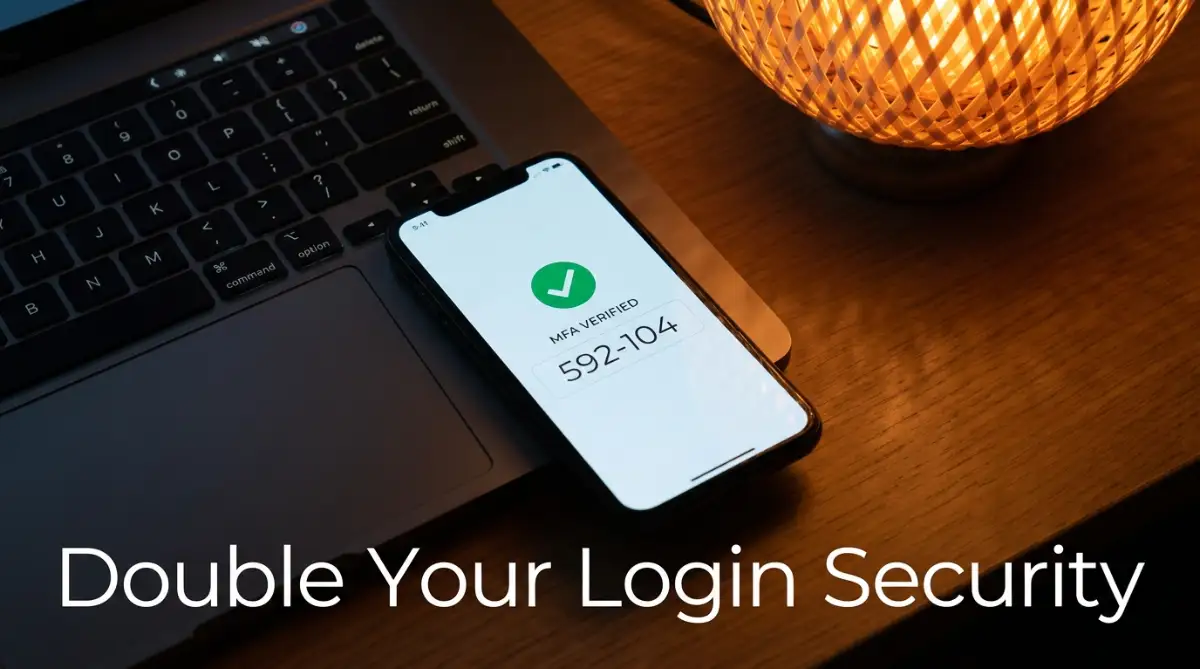
A strong password is no longer enough to protect your domain name. Hackers use advanced phishing attacks and data leaks to steal passwords every single day. That is why you need to set up multi-factor authentication (MFA) on your registrar account.
MFA forces you to provide two pieces of evidence to prove your identity before logging in. The first is your password, and the second is a temporary code sent to your phone or a security app.
- Avoid SMS-Based Verification: SMS codes can be stolen through SIM-swapping attacks.
- Use Authenticator Apps: Apps like Google Authenticator or Microsoft Authenticator are much safer.
- Use Physical Security Keys: Hardware keys like a Yubikey offer the absolute best level of safety.
My Personal MFA Setup (What Actually Works):
- For Everyday Login: I use Google Authenticator. It is free, lives on my phone, and takes two seconds to check.
- For High-Value Domains: I keep a physical YubiKey on my keychain. Unless a hacker actually breaks into my house and steals my keys, they cannot touch my domains.
If your registrar does not offer MFA, you should move your domain names to a provider that does. This one step will block almost all automated hacking attempts on your account.
The Power of Registry Lock for Premium Domains
If you own a highly valuable domain name, a standard registrar lock might not be enough. You should look into getting a registry lock. This is a premium security service offered at the registry level (like Verisign for .com domains).
With a registry lock, no changes can be made to your domain status without manual intervention. Even if a hacker compromises your registrar account, they cannot transfer the domain. The registry itself must manually verify the request through offline channels, such as authorized phone calls and specific security codes.
Why you should watch the video below: Before we dive deeper into legal protections and cyber squatters, take a moment to watch this detailed breakdown. It explains exactly how registry locks and registrar locks differ in real-world scenarios.
This extra layer of security usually comes with an annual fee. However, for established businesses, it is a very small price to pay to avoid a total disaster.
How to Protect Your Brand from Cyber Squatters
Register the Most Common Domain Variations
Cyber squatters love to buy domains that are very similar to popular brand names. They do this to steal your traffic or sell the domains back to you at a massive markup. This practice is often called typosquatting.
For example, if you own mybusiness.com, a squatter might register:
- mybussiness.com (with a spelling error)
- my-business.com (with a hyphen)
- mybusiness.net or mybusiness.org (different extensions)
To prevent this, you should defensively register these variations yourself. You do not need to build websites for all of them. Simply redirect them to your main domain so your visitors always find the right place.
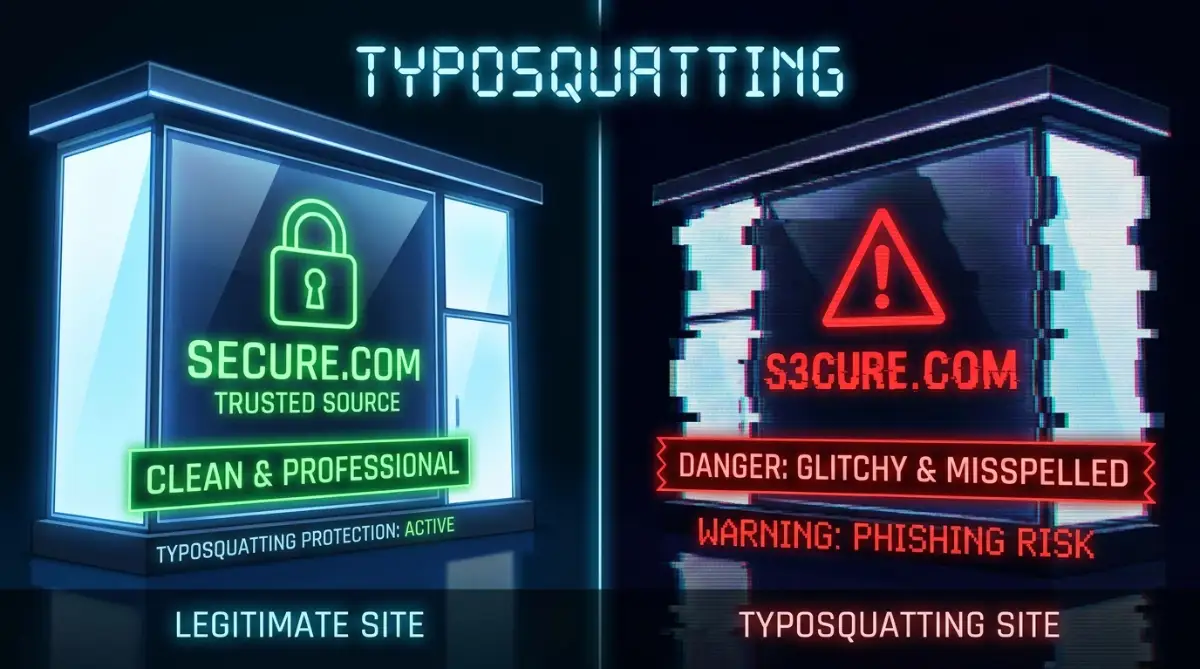
This proactive strategy closes the door on opportunists who want to profit off your brand name. It is much cheaper to buy a few extra domains than to fight a legal battle later.
Use WHOIS Privacy to Hide Your Personal Information
When you register a domain name, your personal details are saved in a public directory called WHOIS. This includes your name, home address, email address, and phone number.
Cyber squatters and spammers scrape this public database to find targets. They might send you fake renewal invoices that look real, trying to trick you into transferring your domain to them. This is a common social engineering tactic.
Pro Tip: When I first started out, I did not use WHOIS privacy, and my phone was flooded with scam calls within minutes of registering my first domain name. I learned my lesson the hard way. Always enable WHOIS privacy protection so your registrar's information is displayed instead of your personal home address.
Most modern domain registrars now offer WHOIS privacy for free. Make sure it is active on all your domains to keep your personal data out of the hands of bad actors.
Fact Check: What WHOIS Privacy Actually Hides for You
Without privacy turned on, anyone can easily search your domain and find:
- Your full legal name
- Your personal cell phone number
- The exact street address of your home
- Your primary personal email
- Turn it on, and all of this turns into generic proxy data belonging to your registrar. It is a no-brainer.
Myth vs. Reality: Domain Security Truths
Let us look at some common beliefs about domain security and compare them to the actual facts.
- Myth: "My domain is safe because I have registered it for ten years."
- Reality: The registration length does not protect you from account hacking or unauthorized transfers.
- Myth: "Nobody wants to steal my small website's domain."
- Reality: Automated bots target all accounts regardless of size, looking for easy access points.
- Myth: "If my domain is stolen, my registrar will instantly give it back."
- Reality: Getting a stolen domain back is a long, difficult process that requires legal proof and lots of time.
Keep Your Domain Contact Email Super Secure
Many people forget that their domain security is only as strong as the email address attached to the account. If a hacker gains access to your admin email, they can request password resets and easily bypass your registrar's security.
Use a completely separate, highly secure email address for your domain registration. Do not use this email address for everyday newsletters or public contact forms. Keep it private, enable multi-factor authentication on it, and monitor it closely for any unusual activity.
If your registrar sends an email alert about an account change, you need to see it immediately. A secure and clean inbox is your early warning system against domain hijacking.
Understand Your Legal Rights and the UDRP Process
If a cyber squatter has already registered a domain that uses your trademarked brand name, you are not completely out of options. You have legal paths to fight back and claim what is rightfully yours.
The Uniform Domain-Name Dispute-Resolution Policy (UDRP) is a system set up by ICANN to resolve these specific fights. To win a UDRP case, you generally need to prove three things:
- The domain is identical or confusingly similar to a trademark you own.
- The current holder has no legitimate rights or interests in the domain name.
- The domain was registered and is being used in bad faith (such as trying to sell it to you for a crazy price).
While this process is highly effective, it can still cost money and take several months. That is why preventive security steps are always the best way to keep your digital brand safe.
Simple Habits for Long-Term Domain Peace of Mind
Keeping your domains safe is not a one-time chore. It requires a few simple, healthy habits that you practice over time.
First, turn on auto-renewal for all your important domains. Many people lose their domains simply because they forgot to update their credit card information before the expiration date. When a domain expires, cyber squatters can snap it up within seconds.
Second, perform a quick security audit of your registrar accounts every few months. Check if your contact details are correct, verify that your multi-factor authentication is still active, and ensure that your registrar lock is turned on.
By taking these basic steps, you build a incredibly strong defense system. You protect your brand, secure your hard work, and ensure that your digital home remains yours for many years to come.
Advanced Security Tactics to Keep Your Domain Safe
Turn on DNSSEC to Protect Your Website Visitors
When visitors try to load your website, their computer looks up your domain name. Hackers can sometimes poison these lookup systems, redirecting your audience to a fake website. To stop this threat, you should use Domain System Security Extensions, or DNSSEC.
DNSSEC adds secure digital signatures to your DNS directory. This validation step proves to a visitor's computer that the website they are viewing is actually yours. Setting up DNSSEC might seem technical, but most modern registrars offer it as a one-click toggle.
It is an excellent way to secure your brand reputation. For organizations that rely on trust, DNSSEC keeps your visitors safe from sneaky redirect attacks. You can learn more about how to set up these digital protections on the ICANN locked domains guide.
Use Professional Domain Monitoring Services
You cannot watch the global domain registration market all day long. That is where domain monitoring services come into play. These systems scan registration logs around the clock to find any new domains that look too similar to yours.
If a cyber squatter registers a domain that mimics your brand, you will get an instant alert. This gives you time to react before they can launch a phishing campaign against your users. Finding these threats early allows you to take fast action.
Spotting security holes in your domain setup before an attacker strikes is a necessary skill. Think of this process as learning how to spot house wrecking structural flaws at an open house before making a massive financial purchase.
Set Up an Enterprise Access Policy for Your Team
If your business has multiple employees, you should never share a single password for your registrar account. Sharing login credentials is a major security risk. Instead, look for a registrar that supports role-based access control.
This allows you to create separate logins for different team members. You can give your developers access to edit DNS records while keeping the power to transfer the domain restricted to you. If a developer's computer gets hacked, your core domain name remains safe.
Keep a written list of who has access to your domain portfolio. Review this list every few months and remove anyone who has left your company.
Secure Your Active Email Routing with SPF, DKIM, and DMARC
Your domain is not just a web address; it is also the hub of your email system. Hackers love to send fake emails that look like they are coming from your address. This trick is called email spoofing.
To prevent spoofing, you must set up three key security records in your domain's DNS settings. These are SPF (Sender Policy Framework), DKIM (DomainKeys Identified Mail), and DMARC (Domain-based Message Authentication). These tools tell other email servers exactly which messages are real and which ones are fakes.
By setting up these protocols, you protect your customers from phishing scams. It also ensures your legitimate emails actually land in your customers' inboxes. For deep-level advice on handling secure internet assets, check out the resources from the CISA cyber security principles program.
Heartbreaking Mistakes That Can Cost You Your Domain
Letting Your Contact Information Go Out of Date
One of the biggest mistakes domain owners make is ignoring their registration email address. If you register a domain using an old email account that you rarely check, you are begging for trouble. Registrars send all warnings, renewal notices, and transfer alerts to this specific inbox.
If a hacker tries to steal your domain and you miss the email warning, you might lose your domain forever. Always ensure your primary contact details are active and monitored daily.
What happens to your digital business if you are no longer around to manage it? Just like setting up legal directives to know what actually happens to your assets if you die without a legal will, your domain portfolio needs clear documentation. Keep your team or family informed about how to access these properties.
Falling for Fake Domain Invoices and Domain Slamming
Domain slamming is a sneaky scam that tricks thousands of domain owners every year. You might receive a letter or email that looks like an official invoice for your domain renewal. It often warns that your website will go offline if you do not pay immediately.
In reality, these letters are sent by scam companies trying to trick you into transferring your domain to them. They charge you a massive fee and take control of your asset.
Never pay a renewal bill without logging directly into your actual registrar account. If the invoice comes from a different company, delete it immediately. Buying a bad domain or ignoring security terms is just as risky as moving into a physical retail store without checking the contract. You must protect yourself from these digital pitfalls, much like avoiding hidden traps in commercial leases and mistakes to avoid.
Using an Outdated Credit Card on Auto-Renew
Many people think their domain is perfectly safe because they turned on auto-renewal. However, credit cards expire, get canceled, or hit their spending limits. If your payment fails on renewal day, your domain can slip away quickly.
Once your domain expires, it enters a short grace period, but after that, it goes to a public auction. Professional cyber squatters use automated tools to buy expired domains instantly.
If they buy your expired domain, they will demand thousands of dollars to sell it back. Keep a backup payment method on file with your registrar to prevent this nightmare. When a digital business goes dark, sales dry up instantly. You do not want to end up searching for no credit check loans and how to get approved fast because a single cyber squatter holds your primary source of income hostage.
Taking Control of Your Digital Property Today
Your Immediate Protection Action Plan
Securing your domain does not have to be a confusing chore. You can complete the basic security steps in less than ten minutes.
Start by logging into your domain registrar today and enabling your registrar lock. Next, turn on two-factor authentication using a secure app on your phone. Finally, double-check that your credit card details are up to date and set your domain to auto-renew.
By taking these steps, you build a strong defense that stops bad actors in their tracks. It gives you complete peace of mind, knowing your online brand is safe.
How to Respond If a Cyber Squatter Targets Your Brand
If you find that someone has registered your trademarked name to steal your traffic, stay calm. Do not send angry emails to the squatter immediately, as this can make negotiations harder.
Instead, document everything and gather your trademark papers. You can use international dispute systems to win your domain back legally without paying a massive ransom.
For a structured path on how to handle these conflicts, look into the official WIPO guide to domain disputes framework. This system is designed to help trademark owners protect their intellectual property online fairly.
I want you to know that domain security is a journey, but it is one you can easily master. I spent days of stress recovering my stolen web properties, and I do not want you to go through that same pain. Take a few minutes to lock down your assets today, and secure your digital home for the future.
Common Domain Security Questions Answered
Can a hacker steal my domain if I have a registrar lock on?
A registrar lock prevents automated transfers, making it incredibly hard for hackers to move your domain. However, if they gain full access to your email account, they can still log in and turn the lock off manually. That is why you must protect your registrar account with two-factor authentication and secure your email inbox.
What should I do if my domain registration expires?
If your domain expires, contact your registrar immediately to renew it. Most registrars offer a grace period of up to thirty days where you can still renew it for the standard price. If you wait too long, the domain will go to a public auction where cyber squatters can buy it.
Is WHOIS privacy protection really necessary?
Yes, WHOIS privacy is highly recommended for all domain owners. Without it, your private phone number, home address, and personal email are visible to anyone on the internet. Spammers and scammers use this public database to target you with phishing attacks and fake domain invoices.
How much does it cost to use a registry lock?
A registry lock is a premium security feature that usually costs between one hundred and several hundred dollars per year. It is highly recommended for major corporate domains and highly valuable web assets. For personal blogs or small business sites, a standard registrar lock combined with two-factor authentication is usually enough.
Disclaimer
This article is for informational and educational purposes only. It does not constitute formal legal advice or professional cybersecurity services. While we share best practices to help protect your online assets, security standards can change, and you should always consult with certified cybersecurity experts or legal professionals for your specific situation.

![7 Hidden Truths About Shared vs VPS Hosting [Read Before Upgrading]](https://vimex24.com/storage/uploads/blogs/1786336718_7-hidden-truths-about-shared-vs-vps-hosting-read-before-upgrading.webp)