
The Hidden Weight of Your Messy Desktop Screen
I was sitting at my desk, staring at my computer screen with a growing feeling of dread. There were over two hundred files scattered across my desktop like digital confetti.
My client was on the phone waiting for an important presentation file that I had saved just yesterday. I could feel my heart pounding as I clicked open folder after folder, searching in vain.
It took me five long minutes of awkward silence to finally find that single document. That was the exact moment I realized my digital life was a total mess and I needed a real change.
This kind of daily stress is something many of us face without even realizing it. When you open your laptop and see a wall of disorganized files, your brain feels the weight immediately.
It creates a quiet sense of anxiety that follows you throughout your entire workday. You waste valuable energy just trying to locate basic tools and documents.
Over time, this constant searching drains your focus and leaves you feeling completely exhausted before lunch. It is not just about a messy screen; it is about losing your mental peace.
Every unorganized file is a tiny reminder of unfinished work and chaotic habits. We often think that because digital clutter is invisible to others, it does not harm our daily workflow.
But science shows that visual clutter on our screens affects us the same way physical clutter does. It competes for our attention and makes it harder for our minds to process information.
If you are tired of feeling overwhelmed every time you open your computer, you are in the right place. Let us look at how we can turn your digital chaos into a clean, peaceful environment.
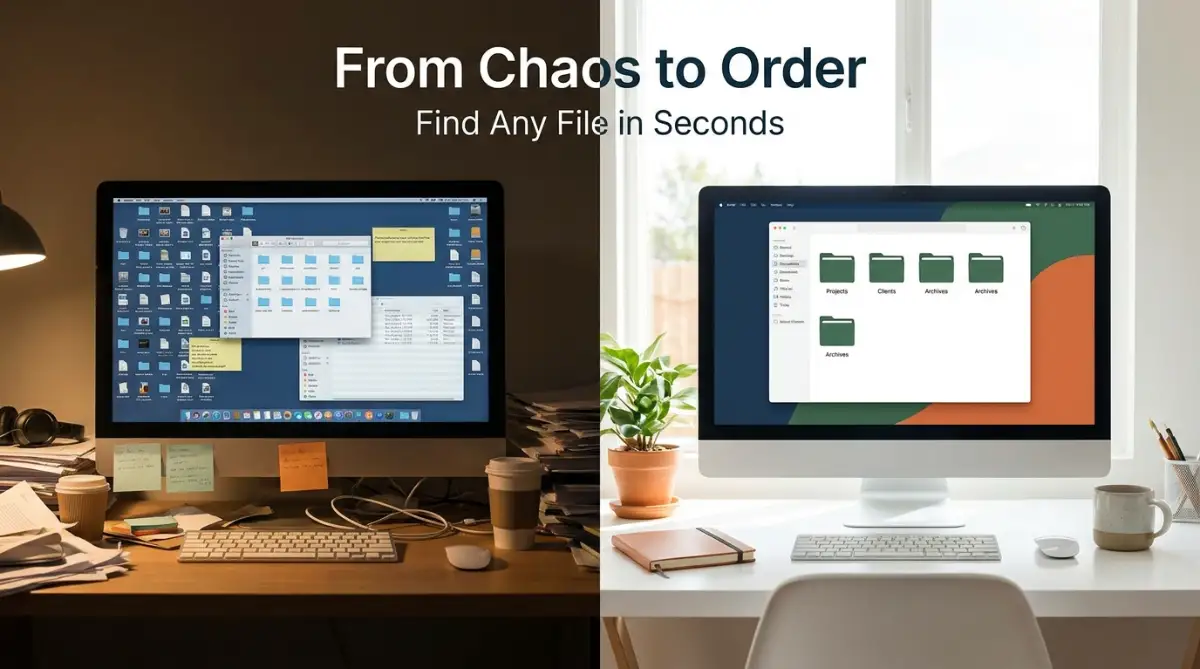
Why Your Brain Hates Digital Chaos: The Science of Focus
Our brains love order and patterns because they make tasks feel predictable and easy to manage. When you look at a chaotic desktop screen, your brain has to work harder just to ignore the distractions.
This extra work is known as cognitive load, and it slowly wears down your mental energy. You might start your day feeling fresh, but a messy computer screen acts like a slow drain on your battery.
When everything has a specific place, your mind does not have to search for where to look. You can glide from one task to another without any friction or unnecessary pauses.
Having an organized workspace helps you stay in a state of deep focus for longer periods. It allows you to spend your precious energy on actual work instead of spending it on finding your tools.
The Clean-Slate Formula: Start with a One-Folder Rescue
If you have hundreds of files on your desktop right now, do not try to organize them one by one today. That path leads directly to overwhelm, and you will likely give up within ten minutes.
Instead, I recommend using a very simple method called the "One-Folder Rescue" to clear the visual noise instantly. This gives you immediate mental relief so you can organize your system at your own pace.
Create a single folder on your desktop and name it something simple like "Desktop Inbox" or "To Sort". Then, select every single file currently sitting on your screen and drag them into this new folder.
Suddenly, your desktop is completely clean and your mind can breathe a sigh of relief. You have not deleted any of your important work; you have simply put it in a safe holding area.
Now, you can schedule just fifteen minutes every day to go through this single folder. Take out ten files at a time, put them where they belong, or delete them if they are no longer useful.
This simple trick keeps your workspace clean while you slowly build your new filing system. It turns a massive, scary chore into a series of small, easy tasks that anyone can complete.
How to Build a Simple Folder System That Actually Works
The biggest mistake people make is creating too many folders with highly specific names. When you have sixty different folders, you will forget where you put things, and the system breaks down.
Instead, you need a simple and broad structure that covers your entire life without being complicated. A great approach is to divide your digital life into four main high-level categories.
Having just a few main folders makes it easy to decide where a new file should go. Inside each of these main folders, you can create subfolders for specific projects or topics.
Keep your folder depth to a maximum of three levels so you do not get lost in endless sub-directories. If you have to click more than three times to reach a file, your system is probably too complex.
Create a Consistent File Naming System
Having a great folder structure does not help if your files are named "Untitled_Document_3" or "Final_Version_Draft". You must use a consistent naming system so you can find files using your computer’s search tool.
A simple formula is to include the date, the project name, and the specific version or description. For example, use a format like "YYYY-MM-DD_ProjectName_DocumentType".
Pro Tip: I used to name my files "Final_Project_v2_updated" because I thought it was quick and easy. It was a complete disaster when I had to find a specific edit a few months later. Now, I always use a clear date at the start of every single file name, which keeps everything sorted in perfect order automatically.
By putting the date first, your computer will naturally sort your files in chronological order. This makes it incredibly easy to see which version is the newest without opening every single document.
Avoid using spaces in your file names if you share them online, as some systems replace spaces with messy codes. Use dashes or underscores instead to keep your file names looking neat and highly readable.
Tame Your Daily Downloads and Email Inbox
Your download folder is probably the biggest source of digital trash on your entire computer. We download images, PDFs, and installation files, and then we let them sit there forever.
This folder should be treated like a physical mailbox, meaning you should empty it regularly. Never let files live in your download folder for more than twenty-four hours.
If you want to see a live demonstration of how to keep your email inbox clean, watch this helpful video tutorial below.
[Insert YouTube Video Link Here]
When you download something, either move it to its proper folder immediately or delete it once you are done using it. You can set a weekly reminder to completely wipe out your download folder every Friday afternoon.
This prevents the folder from growing into a giant monster that eats up your computer's hard drive space. It also ensures that your system runs faster and smoother.
The same rule applies to your email inbox, which can quickly become a source of daily stress. Try to archive emails as soon as you have replied to them or completed the task they required.
Your inbox is meant to hold active messages that need your attention, not to serve as a permanent storage area. Move important attachments to your cloud storage system right away so you do not lose them in your email history.
Organize Your Web Browser and Tabs
Many people keep fifty browser tabs open because they are afraid of losing their place or forgetting a website. This habit slows down your computer and makes it very hard to focus on the task at hand.
Each open tab is like a small voice whispering for your attention, splitting your focus into tiny pieces. You need a system to save these websites without keeping them open active in your browser.
Use bookmark folders to organize your favorite websites by topic, such as "Work", "Learning", or "Entertainment". If you find an article you want to read later, use a reading list tool instead of keeping the tab open.
There are also excellent, free browser extensions that can group your open tabs into a single clean list with one click. This keeps your browser fast and your visual environment calm and focused.
Try to start each work session with only the tabs open that are necessary for your current task. When you finish that task, close those tabs completely before moving on to the next project.
This physical act of closing tabs provides a sense of closure and prepares your brain for the next focus block. It is a simple habit that makes a massive difference in how clean your digital workspace feels.
Set Up a Simple Weekly Maintenance Habit
No system will work forever if you do not take care of it on a regular basis. You do not need to spend hours cleaning your computer, but you do need a small, consistent routine.
Set aside just ten minutes at the end of every week to do a quick digital sweep of your system. This keeps the clutter from slowly building back up over time.
During this weekly sweep, empty your computer's trash bin and delete any temporary files you no longer need. Quick-check your desktop screen and move any stray files into their proper folders.
Clean out your download folder and archive any projects that you finished during the week. This simple routine ensures that you start every Monday morning with a clean, fresh digital workspace.
Think of this habit as washing the dishes after a great meal so you do not have a giant mess waiting for you later. It takes very little effort but saves you from massive headaches down the road.
By making digital cleaning a natural part of your week, you protect your focus and your mental peace. Your computer will remain a tool that helps you do great work rather than a source of stress.
Advanced Tactics for Keeping Your Digital Setup Neat in the Long Run
To keep your digital files clean, you must go beyond simple manual sorting. Using smart digital tags is one of the best ways to keep track of your files without relying on nested folders. By adding descriptive tags to your documents, you can find them in seconds through your system’s search bar. This simple method reduces the time you spend dragging files into deep subfolders every single day.
You should also look into using cloud storage features that help you manage your files automatically. Many modern cloud platforms allow you to set up rules that organize incoming files into specific folders. For instance, you can create a rule that automatically moves all email attachments into a secure folder. This keeps your active workspace clean and ensures that you do not have to manually sort every single item.
When you are organizing your digital workspace, you should have a specific folder for financial emergencies. If you find yourself in a tight spot, having all your financial documents in one place is incredibly helpful. This is true whether you are looking for smart ways to borrow money without assets safely or figuring out how to find safe low-interest unsecured loans fast. Having your tax forms, bank statements, and income proofs neatly organized saves you days of frantic searching when you need to act quickly.
The same rule applies to your business files and lease documents. For example, if you run a small local shop, you should have a digital folder named "Leases and Agreements" where you keep your contracts. This simple habit keeps you safe from bad business situations and helps you spot hidden traps in commercial leases before they become major problems. A clean folder system ensures that you can review your legal rights in seconds without having to dig through old cardboard boxes.
Finally, we must think about long-term planning for our personal documents. No one likes to think about difficult times, but keeping your estate papers organized is a great gift to your loved ones. Understanding what actually happens to your assets if you die without a legal will highlights the need to have your digital property in order. By storing a clear list of your accounts and assets in a secure, organized folder, you protect your family from massive stress during hard times.
To make sure your digital space remains clean for years, you must use reliable backup systems. A great rule to follow is the "three-two-one" backup plan, which keeps your documents safe from system crashes. Keep three copies of your data, stored on two different types of media, with one copy kept in an off-site location like the cloud. This habit takes the stress out of computer updates because you know your hard work is always protected.
Another great advanced tip is to set up an active folder archive for your finished projects. Instead of keeping past work files on your active drive, move them to an external storage drive at the end of each month. This frees up precious space on your computer and keeps your active search results uncluttered. You can easily find old projects when you need them, but they will not get in the way of your daily focus.
The Silent Mistakes That Will Ruin Your Clean Setup
Many people try to organize their digital workspace but end up falling into the trap of over-complicating their folders. They create a folder for every single tiny task, which leads to a massive network of empty files. This makes finding a simple document feel like solving a complex puzzle. If your system is too hard to use, you will quickly stop using it altogether.
Another massive mistake is neglecting to clean your trash bin and temporary folder regularly. When you delete a file, it does not truly leave your hard drive until you empty the trash. These ghost files continue to take up storage space and slow down your computer's overall performance. This slow down can cause your applications to freeze, which disrupts your workflow and increases your frustration.
According to a detailed study on attention and visual clutter published by the Princeton Neuroscience Institute, visual noise physically limits your brain's processing capacity[1]. When you have too many files on your screen, your brain works overtime to block out the visual distractions[2]. This constant strain makes it much harder to focus on a single task, leading to mental exhaustion early in the day[1]. Ignoring this warning means you will continue to feel drained by the simple act of looking at your computer screen.
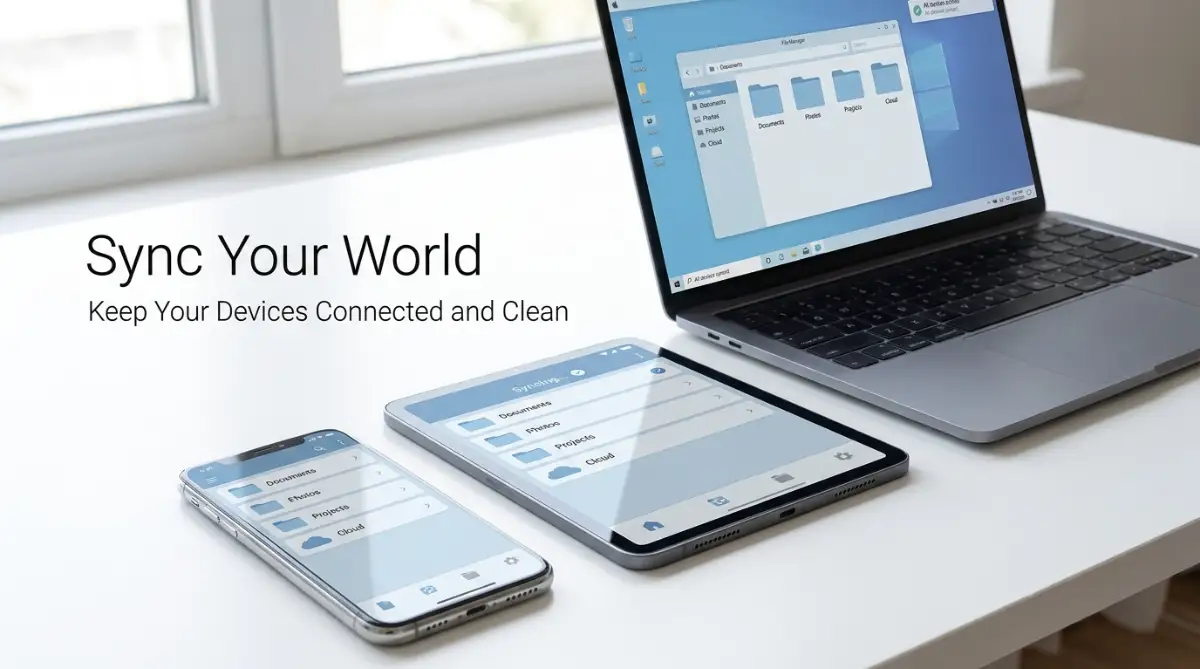
In addition, many users make the mistake of storing all their files locally without any cloud backup. If your laptop gets damaged or lost, you risk losing years of work, photos, and personal memories in a single second. Research from the American Psychological Association shows that data loss is one of the most stressful experiences a modern worker can face[3]. This sudden shock can be easily avoided by spending just a few minutes setting up an automatic cloud sync.
You should also avoid the bad habit of saving new files with vague names like "doc1" or "presentation". When you do this, you are forcing yourself to rely entirely on visual memory to find your work later. A study by the University of Talca linked poor file management and digital hoarding to increased academic burnout and poor task performance[4]. Taking three seconds to name a file correctly today saves you from hours of stressful searching tomorrow.
Finally, do not make the mistake of thinking digital organization is a one-time project. Many people spend an entire weekend cleaning their files, only to let the clutter build back up over the next month. Without daily maintenance, your computer will quickly return to its original messy state. A sustainable system relies on small, easy daily habits rather than massive, exhausting cleanups.
Building a Clearer Path Forward Today
Taking control of your digital workspace is not just about making your computer look neat. It is about creating a calm, focused mental environment where you can do your best work without unnecessary stress. By setting up simple folders, naming files clearly, and backing up your documents, you protect your daily energy. You will no longer waste precious minutes searching for lost items during busy work hours.
The journey to a clean digital life begins with a single step that you can take right now. Do not wait for the perfect moment or a free weekend to start organizing your files. Clear off your desktop screen today, put your files in a temporary folder, and tackle them a little bit at a time. You will be amazed at how much lighter and more productive you feel once the digital weight is gone.
I still remember how much I struggled with a messy computer screen and how it made me dread starting my workday. Cleaning up my digital environment completely changed my daily routine and brought back my creative energy. I encourage you to take that first step today, clear away the clutter, and enjoy the peace of a neat digital workspace.
Answers to Your Toughest Digital Clutter Questions
How long does it take to organize a messy computer?
You can get immediate relief in less than five minutes by moving all your desktop files into a single temporary folder. Once your screen is clean, you only need fifteen minutes a day to slowly sort those files into their permanent homes.
Will cloud storage slow down my internet connection?
Most cloud services allow you to control when and how your files sync to the internet. You can set your files to sync only during your lunch break or at night so it does not affect your daily workspace speed.
How do I know which computer files are safe to delete?
You should look into your temporary folders and downloads first, as these usually contain items you only needed once. If you are unsure about an older file, move it to a folder labeled "Archive" instead of deleting it immediately.
Should I keep my personal and work files on the same system?
It is always best to keep your personal files separate from your work documents to protect your privacy. You can do this easily by creating two main, distinct folders on your computer or by using different cloud accounts.
Disclaimer
This guide is for informational purposes only. Organizing, deleting, or moving system files can sometimes affect computer performance if not done carefully. Always ensure you have a complete system backup before deleting large quantities of data or changing your drive settings.
![5 Hard Truths About Self-Directed Learning for Busy Adults [What Actually Works]](https://vimex24.com/storage/uploads/blogs/1785585024_5-hard-truths-about-self-directed-learning-for-busy-adults-what-actually-works.webp)